In the dynamic world of 3D, context isn't just a detail – it's understanding how your vision harmonizes with its surroundings, both at a glance and down to the intricacies. But what if you could seamlessly weave the vibrant, tangible real world into your SketchUp designs, capturing not just the lay of the land, but the very essence of its urban fabric and the intricate nuances of its existing spaces?
With the exciting launch of 3D Buildings in SketchUp's Add Location and the powerful, established Scan-to-Design feature on SketchUp for iPad, you're now empowered to integrate real-world context into your projects like never before. This powerful combination allows you to make more informed decisions, communicate your vision with unprecedented clarity and truly understand the environment your designs will inhabit.
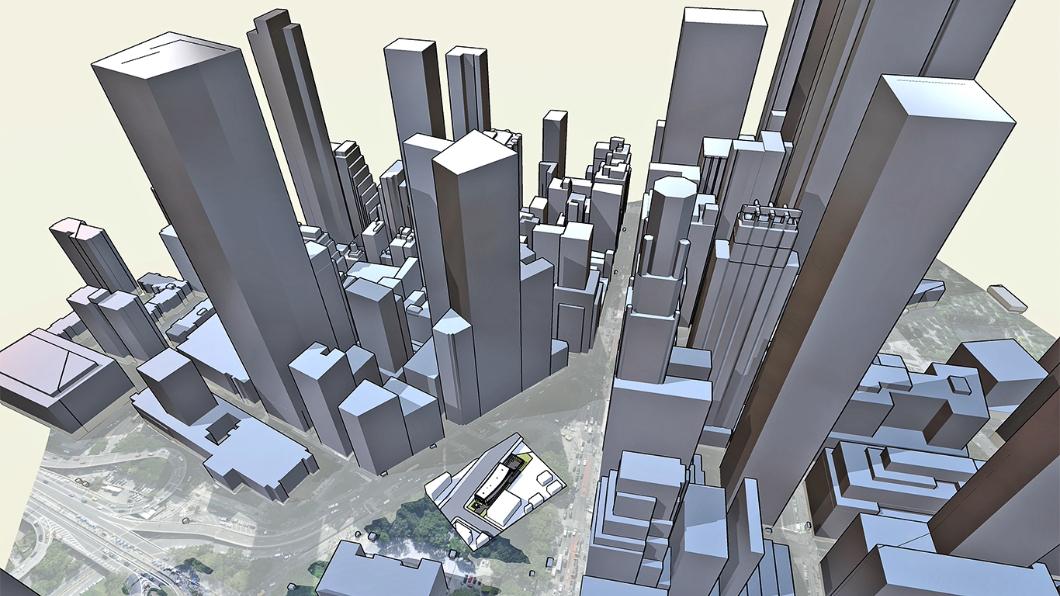
A SketchUp model geolocated in Add Location with 3D building skyscrapers.
3D building context — right inside SketchUp: your design, in its true home
Bringing existing buildings as 3D geometry directly into your SketchUp model is now incredibly quick and intuitive, with our new 3D Buildings import capability in Add Location. Work across Desktop, iPad and Web directly within your modeling environment, without the need for plugins or guestimate measurements from satellite images and site photos.
This isn't just about importing shapes; it's about gaining immediate, invaluable insight into your project's environmental and urban relationships. In addition to access to existing high-resolution satellite imagery and terrain maps, this enhanced import experience gives you more than just visuals; it provides the crucial information you need to make truly solid, defensible design decisions.
Compelling client and stakeholder communication: show clients exactly how your design integrates with the real world, surrounded by neighbouring buildings. This provides a powerful, relatable backdrop that fosters understanding, builds confidence and secures buy-in much faster.
Informed site design and urban planning: instantly visualize your proposed structure alongside its neighbours. This allows you to conduct rapid massing studies and ensure your design contributes positively to the urban streetscape, all before laying a single virtual brick.
Head start for environmental analysis: accurately orient your design within its actual environment for sun and shadow studies, optimizing natural light and designing effective shading strategies. Later on, take your designs to Sefaira for detailed energy, daylight and HVAC analysis to amplify your building performance.
These features are available for SketchUp subscribers on Desktop, iPad and Web.
Add Location updates for iPad
Add Location in SketchUp for iPad has also received upgrades, bringing parity with the Desktop and Web experience. You can now control how much terrain detail is imported and how it is oriented within your model for greater precision and ease of modeling. Adjust contour and tessellation density to suit your needs with the mesh density slider. Select low density for lighter, faster files and higher density for more detailed and precise terrain.
Ground your designs in their true context, and try Add Location in SketchUp 2025 or in the latest version of SketchUp for iPad today!
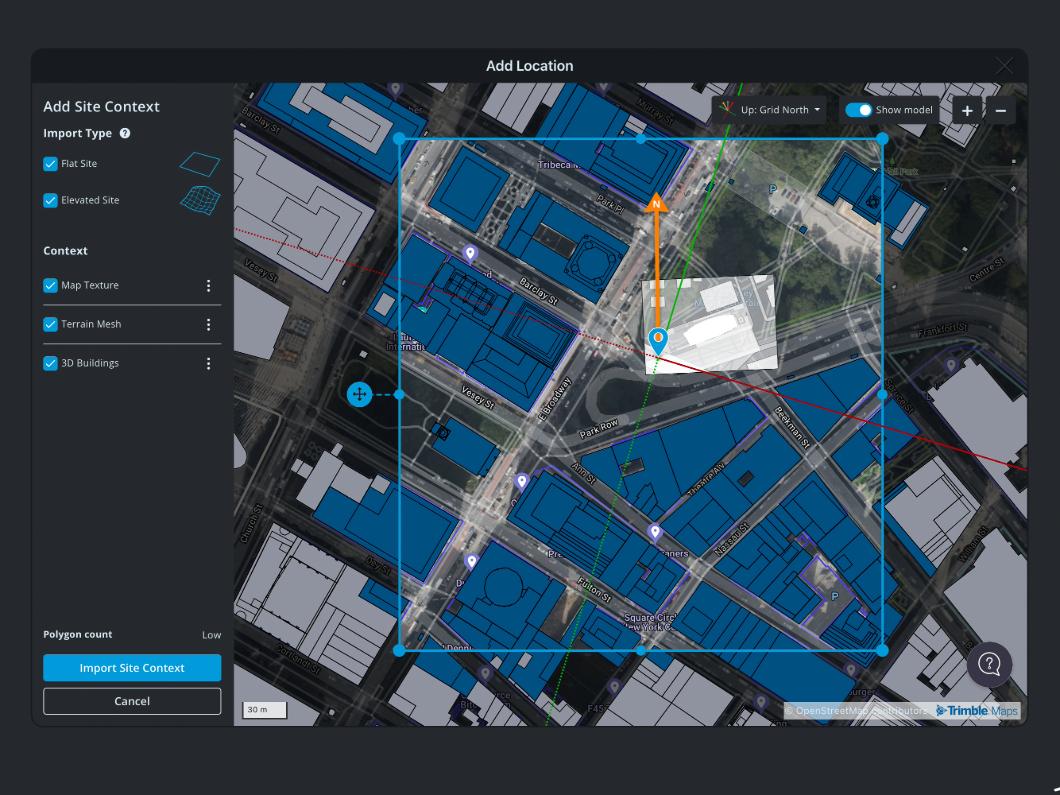
A SketchUp model is being geolocated in the Add Location dialogue box with options to customize the output settings.
Extend your context with Scan-to-Design on SketchUp for iPad: bridging physical and digital
While the new 3D Buildings provide unparalleled macro-level context for urban integration, Scan-to-Design on SketchUp for iPad lets you capture the micro-level context required for renovations, remodels, and detailed interior spaces.
The true power of Scan-to-Design lies in its variety of outputs and how quickly it helps you get started. Understanding these choices allows you to capture the data you need for your specific workflow, optimizing both detail and file performance.
Mesh: for high-fidelity detail and organic spaces
The Mesh output delivers a high-detail, textured, triangulated mesh. For architects working on existing facades, historical preservation, or intricate institutional structures, this output helps you capture and document complex spaces and shapes. Interior designers tackling unique spaces like curved walls and decorative elements will find the textured mesh invaluable for capturing nuance.
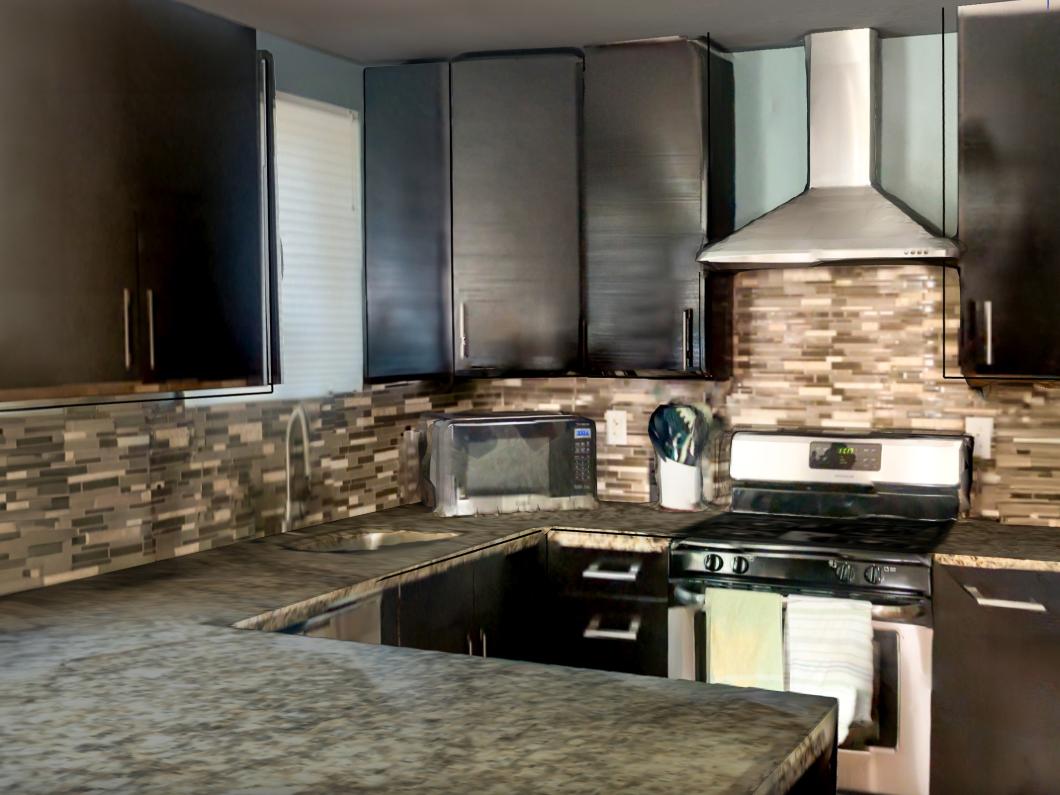
The mesh scan of the kitchen interior.
Apple Roomplan: for clean, editable, rectilinear spaces
Designed specifically for interior spaces, Apple Roomplan provides untextured, rectilinear structures. It delivers clean, orthogonal geometry that is incredibly easy to edit, push/pull and snap to. Quickly generate accurate floor plans and basic volumetric models of existing rooms, making it incredibly fast to start designing new layouts, furniture arrangements or material palettes within a clearly defined, editable structure.
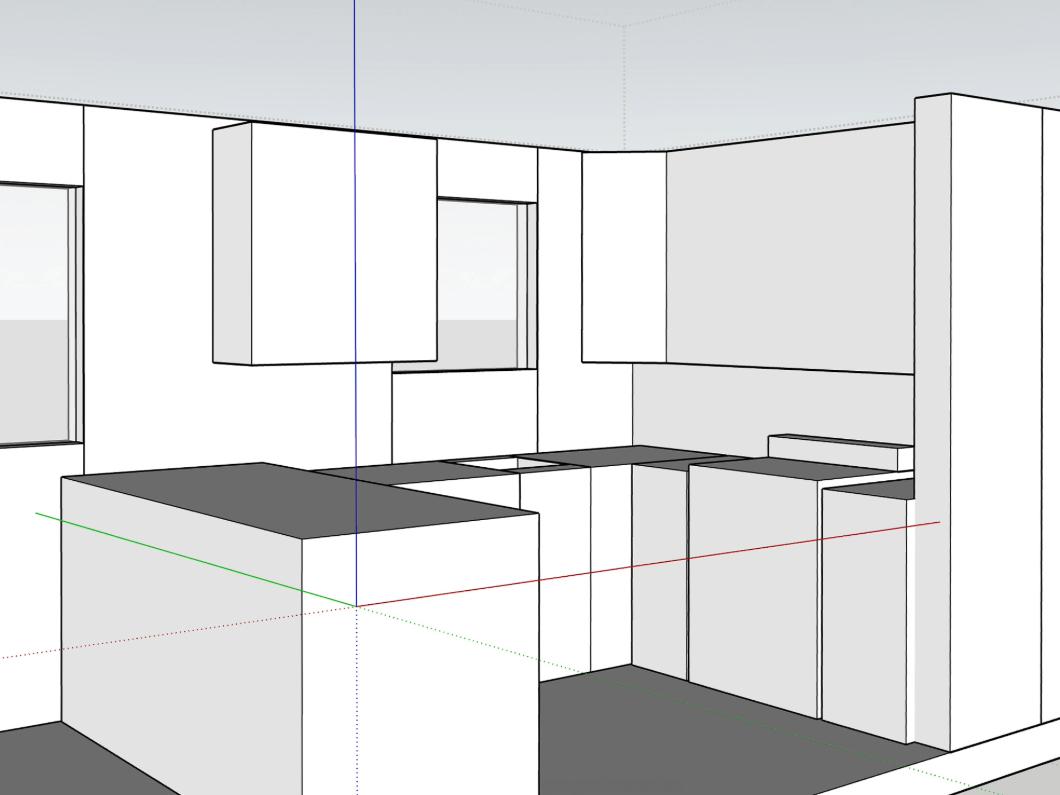
The Apple RoomPlan scan of the kitchen interior.
Seamless workflow integration: from on-site scan to desktop mastery
The true power of these context-rich features lies in their seamless integration with your existing SketchUp workflow, creating a seamless site-to-studio experience. Scan a detailed existing interior with SketchUp for iPad, capturing every nuance of the space. Then, complement it by importing the 3D building context via Add Location, perfectly situating your project within its broader urban environment. Kick-start your project on SketchUp for iPad and then refine your design on SketchUp for Desktop, leveraging the full power of the platform for detailed modeling and documentation.
By integrating both broad urban context (3D Buildings) and fine-grained existing conditions (Scan-to-Design), you're not just creating models; you're building visions that are deeply rooted in reality.
Try Add Location and Scan-to-Design together in the latest version of SketchUp for iPad!


