

Efficiency, accuracy, and clear communication are vital in the solar energy sector. Kirloskar Solar is dedicated to providing cutting-edge, clean energy solutions, achieving an impressive 98% accuracy in site studies and daylight evaluations. Their secret? SketchUp.
We sat down with the Kirloskar team to learn how they use SketchUp's powerful visualization and analysis tools to optimize every solar installation, ensure consistency, and deliver superior returns on investment for their clients.
Q1. Why is SketchUp important to your business?
At Kirloskar Solar, our mission is to drive the global transition to clean, renewable energy by providing cutting-edge, efficient solar solutions for residential, commercial, and industrial clients. We support our clients with a wide range of solar products, including solar PV modules, inverters, and solar water pumps. SketchUp enables our team to design and implement solar systems that can integrate with our clients' existing infrastructure.
Our design team utilizes SketchUp to create detailed 3D models of roofs and structures, enabling our engineers to prepare accurate cost estimates for installation and system components. With an impressive 98% accuracy in site studies and daylight evaluations, SketchUp ensures our installations are designed for optimal performance.
Key benefits of using SketchUp
Capacity estimation: Modeling roof space and environmental conditions to determine the ideal number of solar panels and their energy output.
Client communication: By creating a visualization of our plans, client approvals are faster as they can understand how the solar systems will be placed upon completion.
Error reduction: Streamlining installation processes, minimizing errors, and ensuring cost-effectiveness.
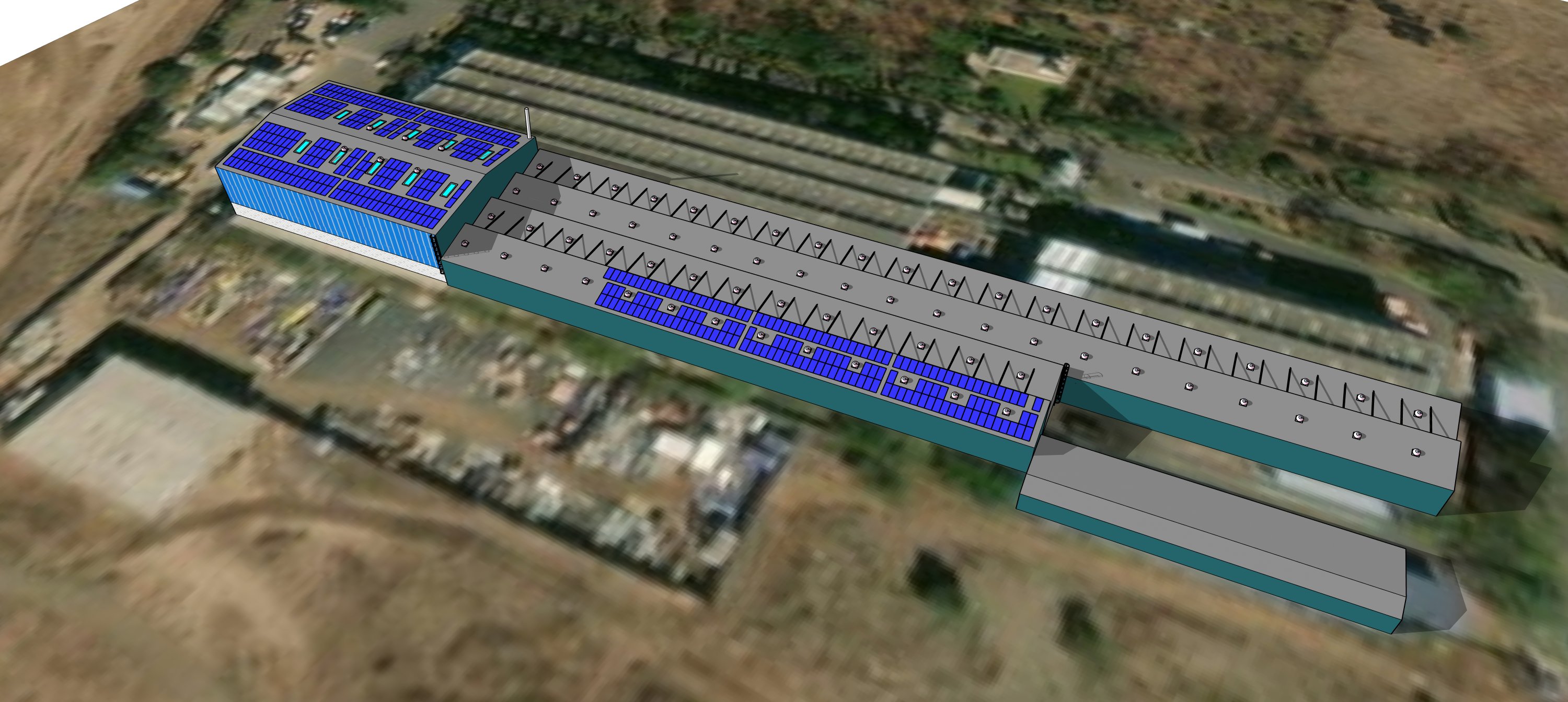
SketchUp model of solar panels on a large building.
Q2. Is your visualization process consistent across projects?
Our workflow for solar installation projects is built on consistency, with shadow analysis playing a pivotal role in ensuring that each system is as efficient and durable as possible. Using SketchUp's Shadows feature, we simulate how sunlight interacts with a geolocated model, enabling us to optimize solar panel placement and performance virtually. This allows us to identify potential obstructions, such as buildings, trees, or other structures, that may affect energy yield.
Using a detailed 3D model, we can generate sunlight exposure data visualized as heat maps. These maps highlight zones of high and low solar radiation, helping us strategically place panels in the most sunlit areas. This approach minimizes shading risks, maximizes energy generation, and ensures a superior return on investment for our clients.
We typically create 3D models of the rooftops or areas that have been allocated and input the specific dimensions and wattage of each solar panel. By accurately mapping out how many panels can fit in the available space, factoring in shading effects, and considering the optimal angles, we can estimate the total system capacity.
Additionally, we import these 3D sketches into PVsyst, a Swiss-based photovoltaic (PV) simulation software, to further refine data accuracy and energy yield analysis.
We had a scenario where there were numerous support structures within a building, resulting in the formation of multiple shadows. To show the customer the specific areas of the room that would be in full sunlight and those that would be shaded at different times, we used SketchUp to create a video with multiple scenes.
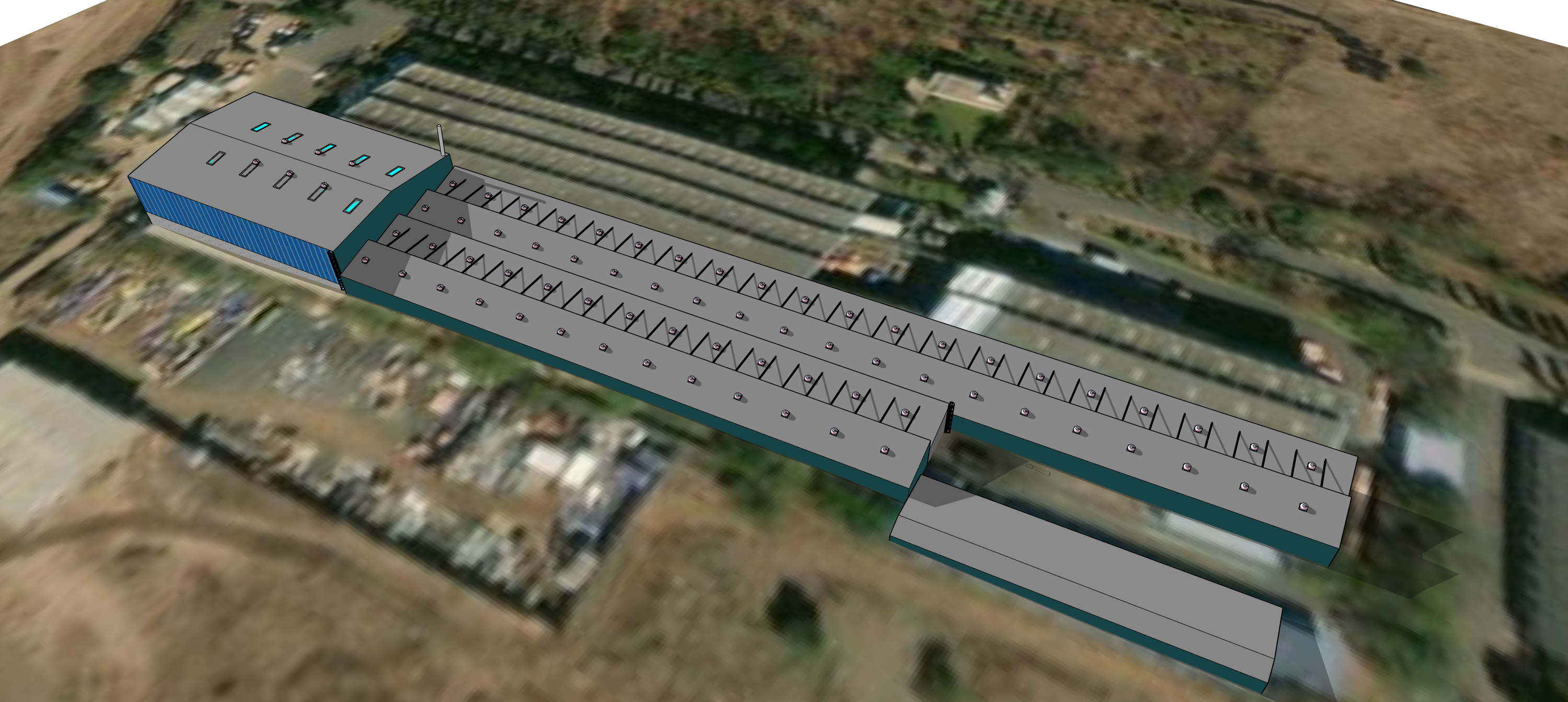
SketchUp model of a building with solar panels.
Q3. What are your favorite tools in SketchUp?
Currently, we rely on the built-in capacities within SketchUp, with Geolocation and 3D Warehouse being two powerful features that help us save hours spent on manual design work.
Geolocation enables us to pinpoint the precise location of a project site, ensuring that the models are accurately aligned with real-world geography. This is particularly crucial for solar energy projects, as it enables us to simulate solar radiation and shadow patterns accurately based on the site's latitude, longitude, and topography.
3D Warehouse is extremely helpful, as it eliminates the need to create every detail from scratch, saving valuable time. We have access to a vast library of pre-made models, including components like solar panels, ventilation systems, staircases, and various architectural elements. The ready-to-use models can be quickly integrated into our project, ensuring consistency and reducing the potential for errors.
Q4. What types of solar panels and installation configurations do you recommend for your clients?
For clients looking for solar panel installations, we typically recommend high-efficiency modules in the range of 460W to 550W, which are well-suited for both rooftop and ground-mounted systems. These power ratings ensure robust energy output, making them ideal for a wide range of applications. We emphasize the importance of selecting modules based on the project's specific needs, while remaining agnostic to different manufacturers, as most modules within this range share similar frame sizes with minimal variation.
For rooftop configurations, we consider the type of roof before recommending installation. For Reinforced Cement Concrete (RCC) roofs, we typically use fixed-tilt mounting systems, which are secure and durable. For metal sheet roofs, we often opt for ballasted or clamp-based mounting systems, ensuring minimal penetration into the roof structure, which reduces the risk of leaks. When designing ground-mounted systems, we consider factors such as terrain and space availability to determine the optimal mounting configuration, including single-axis or dual-axis trackers, for maximizing sunlight capture throughout the day. When we compared the actual photograph taken after the installation with the one planned in SketchUp, the results closely resembled each other, which is a testament to the software's accuracy and reliability.
We provide clients with comprehensive cost estimates for installation, encompassing the lifespan of the solar panels as well as the overall system's durability and performance. This detailed breakdown promotes transparency and equips clients with a clear understanding of the long-term value and financial returns their investment can deliver. Ultimately, using 3D models enables us to demonstrate to our clients how we balance cost, solar efficiency, and the unique site requirements to select the most suitable system configuration.
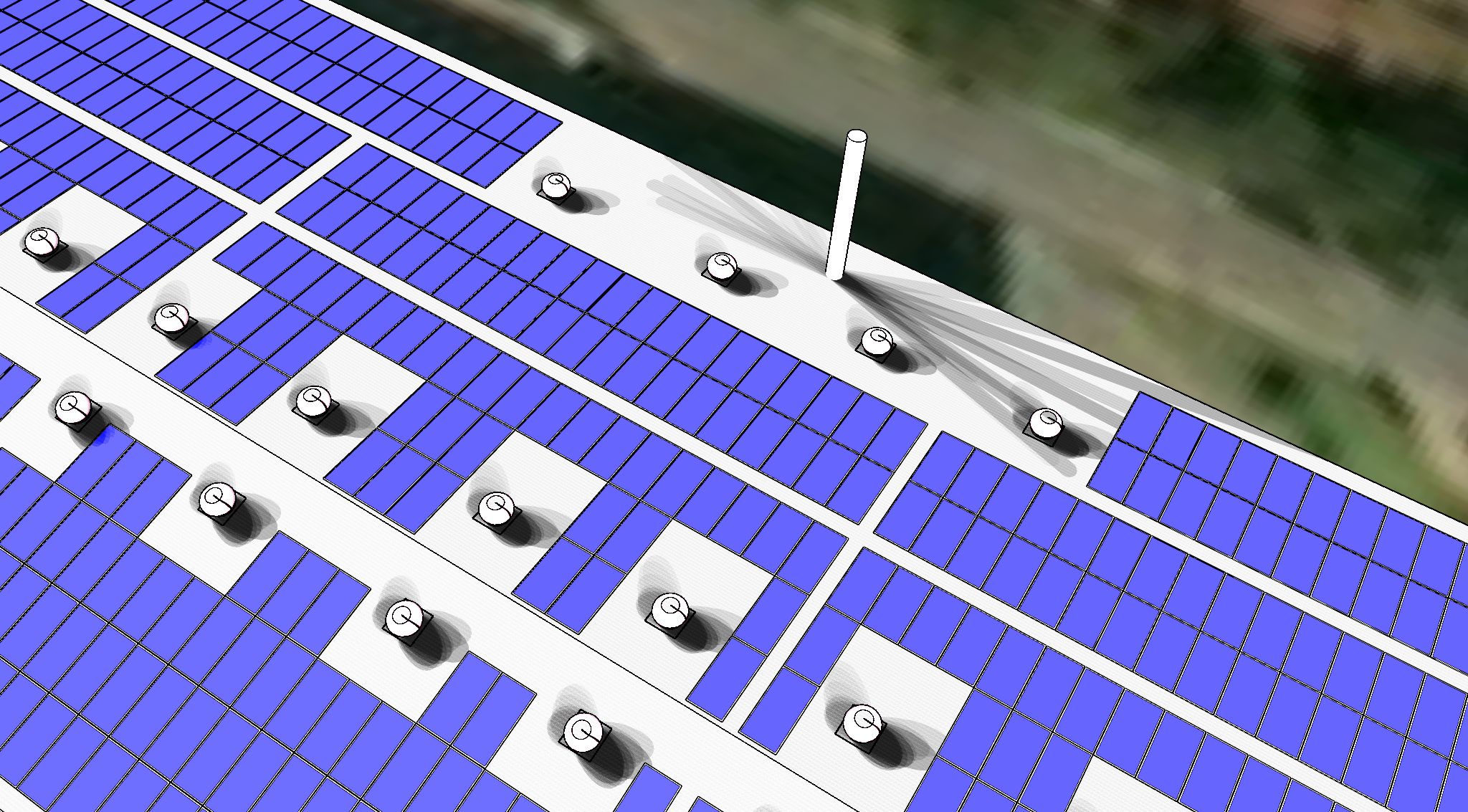
SketchUp model shows a close-up of solar panels.
Q5 How would you envision AI for SketchUp helping you?
We import geo-location data directly within SketchUp, which helps us to position our solar designs accurately in the real world. However, our challenge is the time required to manually draw and construct buildings from scratch, which can be quite time-consuming. SketchUp does not currently support native auto-generation of 3D building masses. If AI could bridge this gap, we could save a significant amount of time. That would be a game-changer for many of us in the AEC industry!
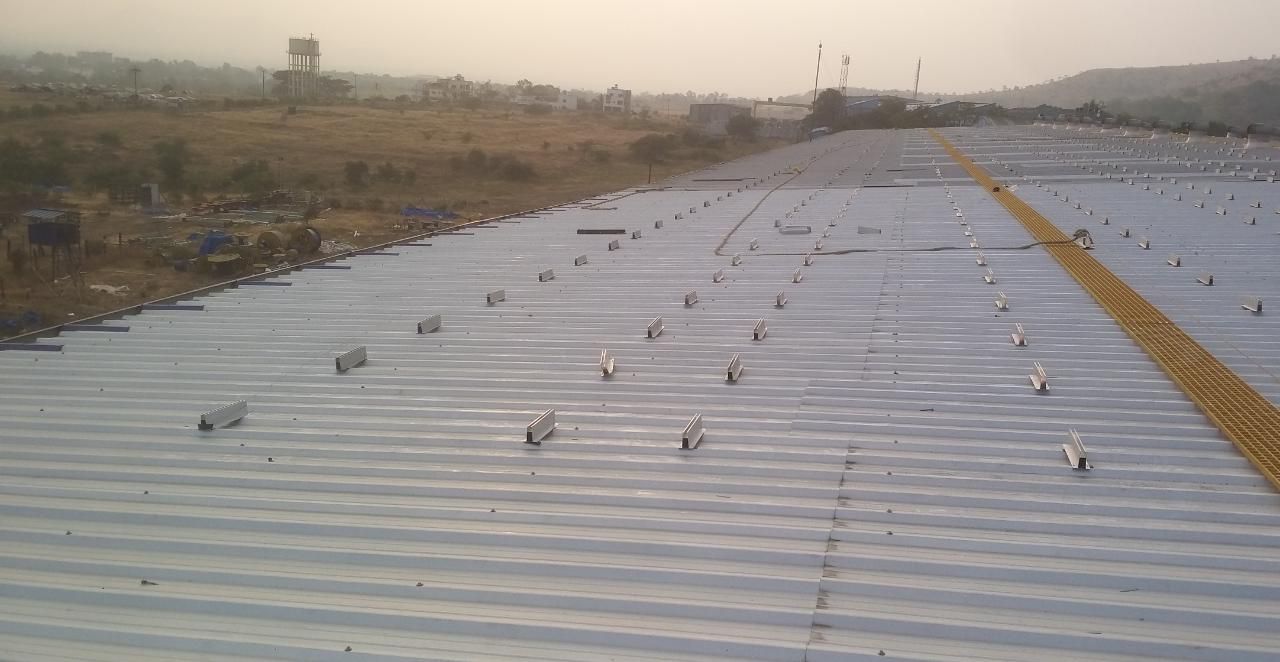
Installation of solar panels on the roof of a building.
Q6. What's next for Kirloskar Solar?
We are currently working on a significant collaboration with NTPC, India's largest energy conglomerate. We will be rolling out a 47-megawatt project spread across seven states in India: Chhattisgarh, Madhya Pradesh, Uttar Pradesh, Kerala, Gujarat, and Assam. The project comprises both rooftop and ground-mounted solar systems, with 14.74 MW allocated for rooftop installations and 32.29 MW for ground-mounted installations. This project showcases the scale and complexity of the solar initiatives we're handling, and it involves a variety of structural types, including metal sheet roofs and RCC rooftops.
About Kirloskar Solar
Kirloskar Solar offers sustainable energy and energy-efficient solutions to cater to the entire spectrum of electricity consumers. The company has an extensive portfolio of customers across various sectors, including healthcare, Hospitality, Automotive, Commercial, Education, Agriculture, and Manufacturing. Solutions include solar PV modules, On-Grid String Inverters, On-Grid Central Inverters, Off-Grid Inverters, as well as Off-Grid and On-Grid Power Packs.
Ready to see how SketchUp can boost your workflow? Start a free trial here or find the right subscription for your needs.


