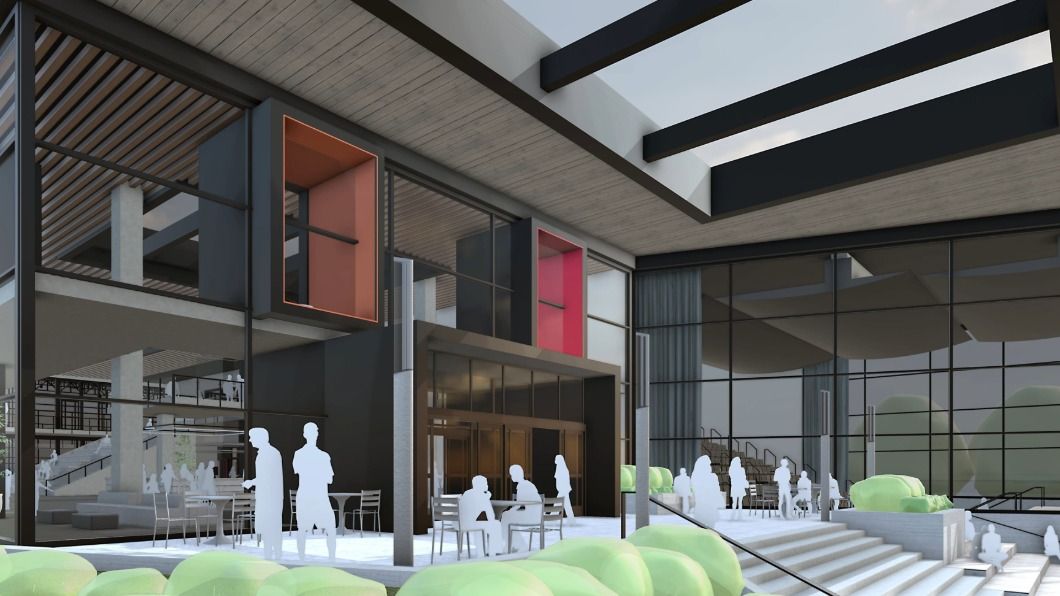
The Community Center model displays new Photoreal Materials with an Environment active as both a background image and a light source.
Another year brings us a new and improved version of the design tool trusted by over one million creatives worldwide. The latest release introduces photorealistic materials, seamless interoperability, and curated, configurable content, all so you can do more in SketchUp with less effort and rework.
Advanced visualization tools at your fingertips
Prepare to explore your creativity like never before with a new generation of visualization in SketchUp 2025. Photorealistic materials and Environments offer powerful yet accessible ways to make your designs pop. Better yet, users can access these visualization game changers across SketchUp for iPad, Web and Desktop, plus LayOut and 3D Warehouse.
You can see and feel true-to-life materiality to make more informed material decisions and create assets that deepen clients' understanding of your vision. The new Photoreal Materials and Environments join Ambient Occlusion from the 2024 launch to complete a trifecta of powerhouse visualization tools.
"Having Photoreal Materials and Environments natively within SketchUp is a really exciting development! Accessing high-quality, realistic materials directly within the platform has made it much easier to quickly present designs that resonate with clients."Kate Hatherell, Director, The Interior Designers Hub
Photoreal Materials
Tell a richer design story with access to a new library of Photoreal Materials. Photoreal Materials add dynamism to models by more accurately conveying texture and representing how real-world materials absorb and reflect light. Instead of a flat image, Photoreal Materials include layers of textures or maps that produce realistic effects like shine, roughness or metalness. [Top tip: 3D cube material thumbnail = Photoreal Materials]
From one-click, drag-and-drop material 'painting' to advanced settings and the ability to create your own Photoreal Materials, SketchUp 2025 can be your one-stop toolkit for stylized visuals, photorealistic conceptual design or a gateway to advanced visualization workflows. Get started with the default Photoreal Material libraries and access hundreds more materials in 3D Warehouse.
In addition to accessing all-new Photoreal Materials, take your material game further by creating yours with Generate Textures. In one click, use this new generative AI capability to sample an image or classic material and generate new Photoreal Materials. Generate Textures can also be used to create seamless, tileable SketchUp materials with less effort. SketchUp models have never looked better.
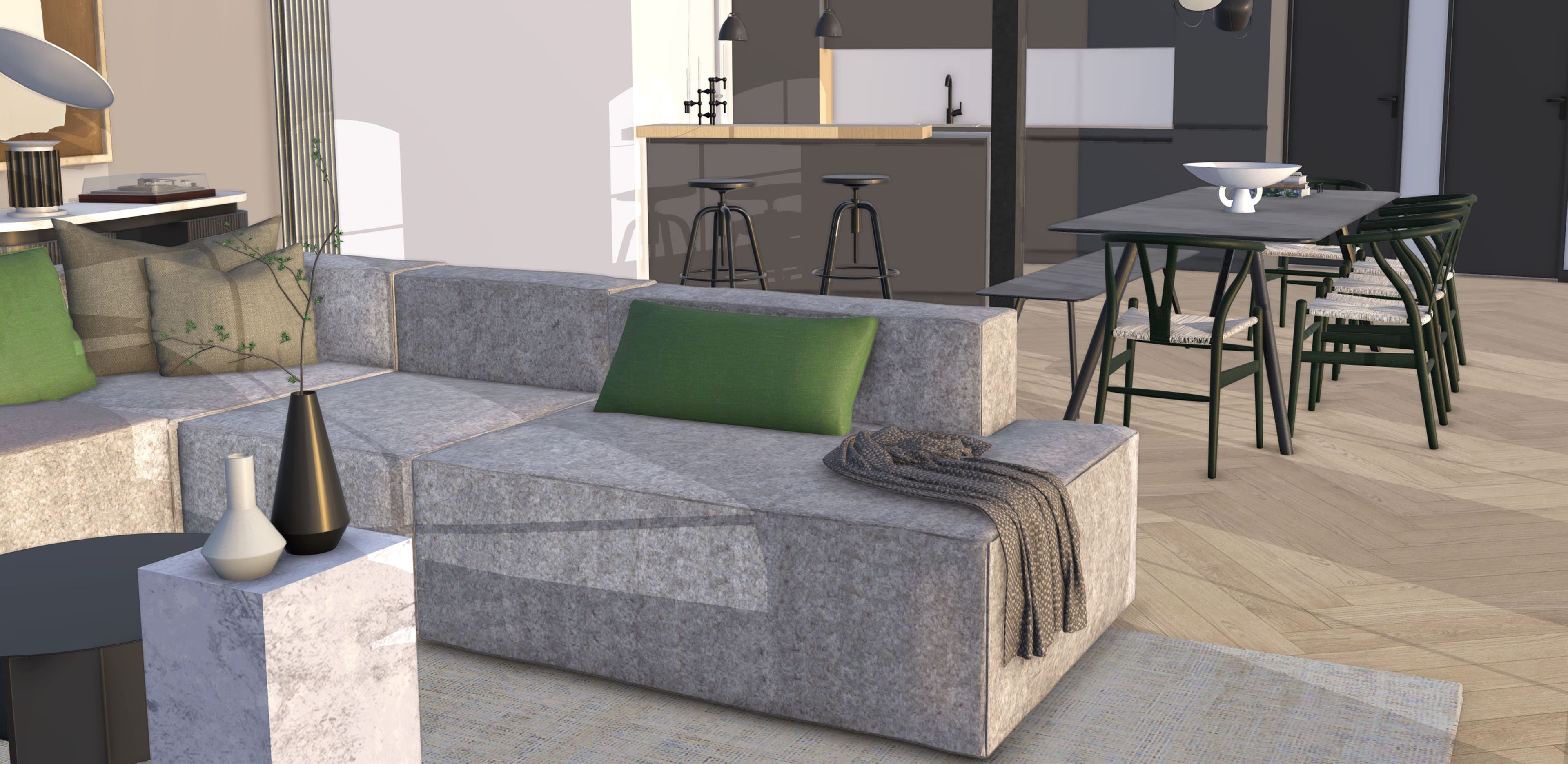
Interior view of a lounge and dining space with Photoreal Materials adding texture and an Environment active as the light source to show true-to-life materiality.
Environments
Set up the ambiance with realistic environmental lighting that dynamically interacts with Photoreal Materials. Environments are 360-degree (HDR or EXR) image files that can provide both a background image (skydome) and a light source that Photoreal Materials react to.
Environments can be used as the model light source and are key to accurately representing Photoreal Materials. Explore and apply Environments in the new Environments panel, where you can toggle the Skydome off or on and customize the image angle, exposure, and reflection settings. Check out the 3D Warehouse for a library of environments.
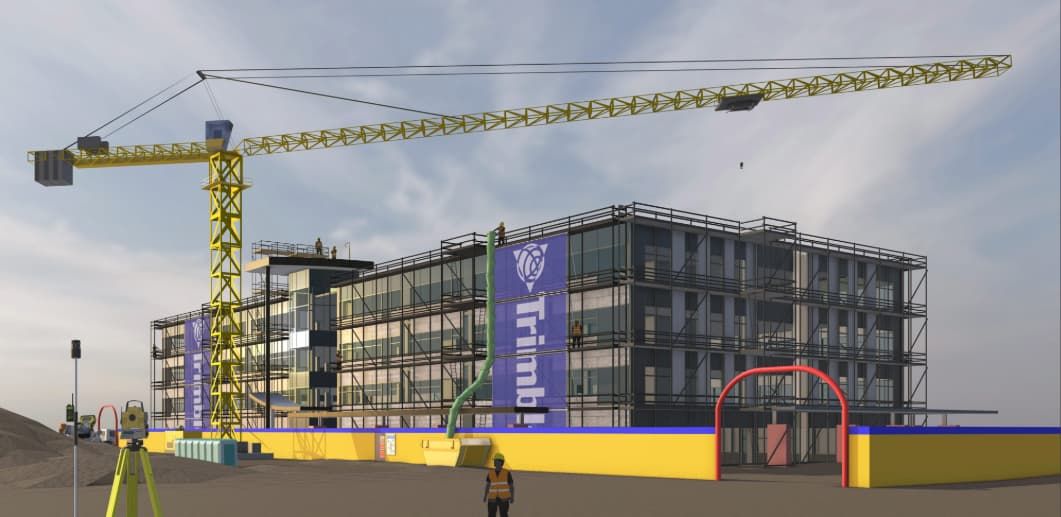
A Revit model imported into SketchUp for construction phasing analysis; Photoreal Materials and an Environment are active, offering a detailed understanding of site conditions in the model.
Seamless data management with interoperability updates
Move in and out of SketchUp confidently, knowing your data will be preserved thanks to our latest IFC support improvements for Pro subscribers. With more consistency in data round-trips and predictable file import and export, you can keep your building information intact and minimize the risk of manual rework. Highlights include improvements to IFC class recognition, version preservation, geometry optimization, and new dictionaries for components. Check out the release notes for more details.
If you're a Studio subscriber, Revit Importer UI updates offer more control — within SketchUp — over what Revit model elements you bring in. Leverage evolving interoperability with Revit and IFC files for streamlined design workflows, improved collaboration, and greater accuracy in project execution.
"The IFC import feature in the new SketchUp version is incredible; it has greatly improved the coordination of different project models with the architectural design. Plus, the new material editor and HDRI styles in SketchUp 2025 open up countless possibilities for the visual representation of projects. We are truly excited about these updates!"Lucas Grolla, Architect & Owner, Grolla Arquitetura
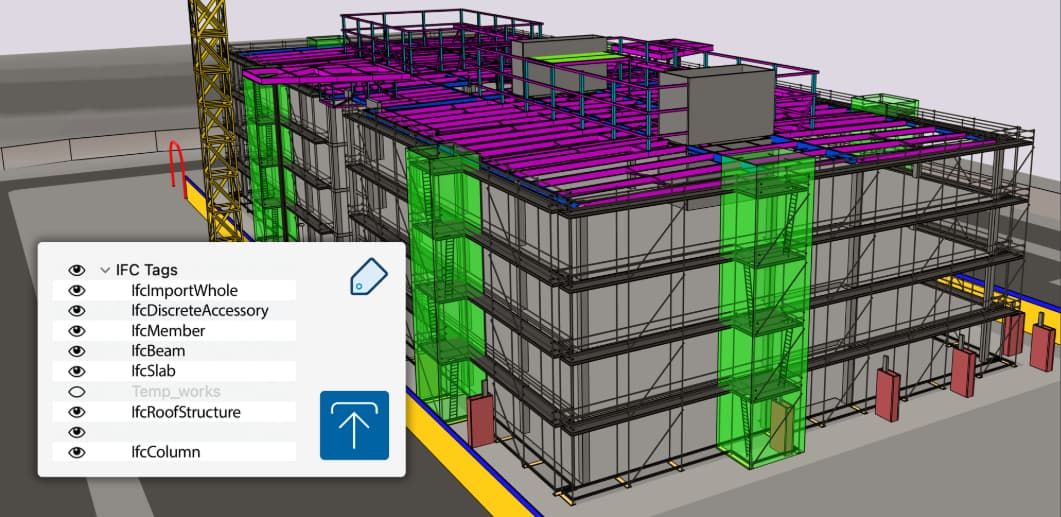
An IFC file imported into SketchUp with IFC classes translated to SketchUp tags.
Curated subscriber content
It's easier than ever to access the high-quality content you need — introducing the SketchUp Content Library in 3D Warehouse. Kick-start your project with all-new collections of configurable models, Photoreal Materials, and Environments developed and curated to support our most popular workflows. Check-in for regular content releases, updates, and upgrades.
Reintroducing Live Components
Add rich context and iterate on detailed designs faster than ever before. Pre-built configurable objects, known as Live Components, are not new but are officially graduating from SketchUp [LABS]. Subscribers can configure parameters like size, type, and material to create customized objects in a snap — access 200+ new and refreshed components via 3D Warehouse as a full production feature in 2025.
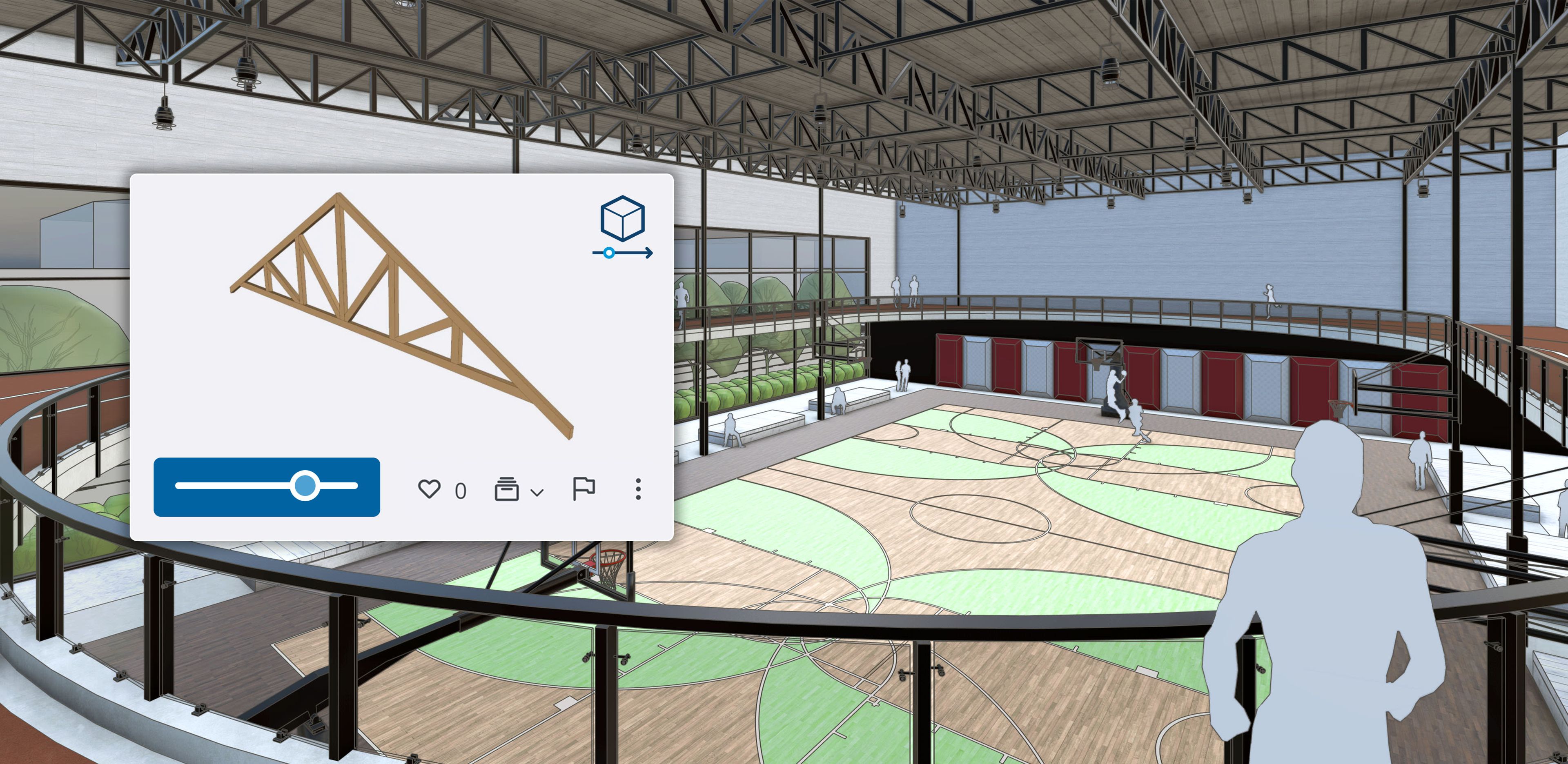
Photoreal Materials bring the basketball court and running track to life in SketchUp, and the menu shows a possible configuration of a Live Component roof truss.
Improvements in LayOut
LayOut will be more intuitive than ever in 2025. Core LayOut tools now better match the tool behavior in SketchUp, so the transition from 3D in SketchUp to 2D in LayOut is much smoother. LayOut viewports will also display Environments and Photoreal Materials in addition to Ambient Occlusion, offering further visual consistency and compatibility throughout the SketchUp ecosystem.
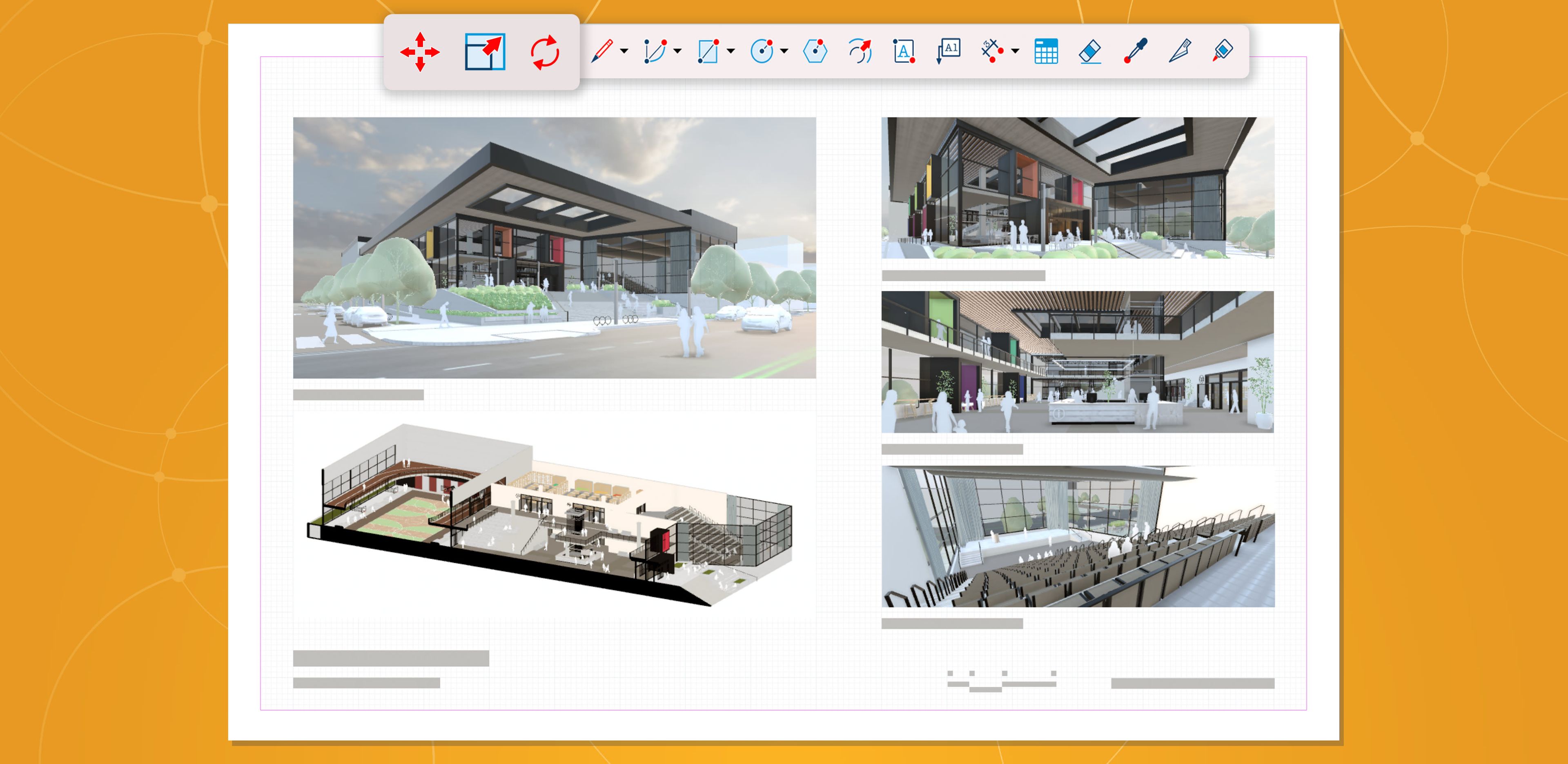
New visualization features translate to 2D documentation in LayOut. It also highlights toolbar updates, showing standalone Move, Scale, and Rotate tool icons (left to right).
Your vision realized with SketchUp 2025
This new SketchUp release takes another step forward in helping creative professionals effortlessly bring their visions to life. It offers enhanced visualization tools and seamless workflows that help you and your team create in SketchUp. Join us for our release webinar to discover more of what's new in 2025.
Create, iterate, and confidently share complex projects with these quicker, smoother, and more powerful tools. Check out our release notes for the full list of 2025 updates.
Update to the latest version of SketchUp to explore all the new features and improvements. When updating to SketchUp 2025, be sure to check out the new Extension Migrator to seamlessly move all your extensions from a previous SketchUp installation to the latest release.
If you're not using SketchUp yet, try it out with our free trial or explore subscription offerings to access these workflow-enhancing updates.


