Have you been thinking about diving into the CNC world, but don’t know where to start? Well, we have a tool for you. Meet Fabber developed by SketchUp expert, Eric Schimelpfenig. Fabber is a type of CAM software that allows you to easily and quickly send your SketchUp models to your CNC or laser cutter. We sit down with Eric and talk to him about how he got started, why Fabber is groundbreaking, and some of the projects he’s used his extension on.
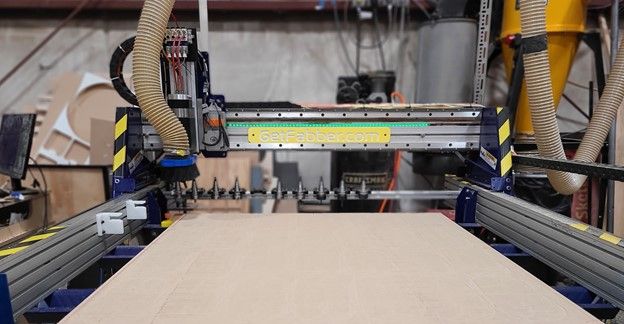
How did you come up with Fabber?
A bunch of years ago I built a small CNC out of MDF (Medium Density Fibreboard). 10 million internet points if you can find the video on YouTube. Why, you ask? I’m still not sure, but from then on I was hooked on the idea that I could take something I designed digitally and turn it into a real object with robots.
Over the years this non-traditional method of fabrication has led to building some very cool projects (read on to learn more about those).
Because of my robot knowledge and boundary-pushing projects, I’ve been asked many times, “how do you do that?”. I’ve broken it down into three steps:
Design my idea in SketchUp
Prep my design for CNC
Run my design on CNC
All three of these steps require software, and it’s the software for prepping your design that’s expensive and difficult to use. It’s also the most important step besides creating your design. I decided to solve that problem by developing Fabber. It’s a cloud-based, CAM software that makes running a CNC incredibly easy.
Ideas are great, but the execution is the hard part. Turns out executing an idea is costly too so I decided to solve that problem by getting into a startup accelerator. I competed and won a grant for $25,000 to invest in Fabber and really make it work.
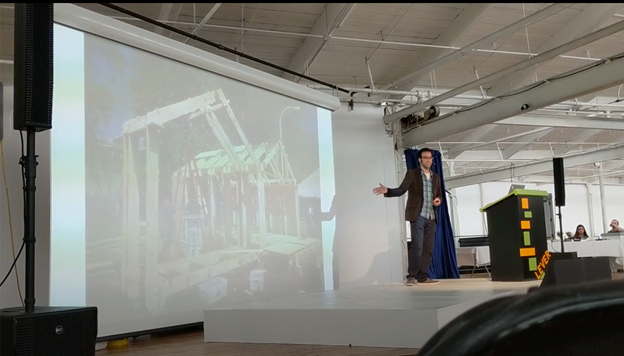
Here’s the video of me presenting my idea!
Why is Fabber beneficial to woodworkers and makers?
Robotic CNC fabrication has been in woodworking for a long time now. In the early days, the machines were huge, expensive, and complex to use. Now, they’re smaller (handheld in some cases!) and far less expensive. That third superlative “complex” is still there. That complexity comes from the old, expensive software that these machines run on. Most people that don’t use these machines assume they’ve reached some level of simplicity and ease of use. Think: Microsoft Word in the 1990s in that they have “spell check” and a “print” button, or the bare basics. This is a huge misconception.
This is where Fabber comes in. Fabber essentially takes your 3D model and “spell checks” it. It makes sure there aren’t any errors in the setup, and then it magically generates G Code that you can run directly on your machine. It turns hours of software time into seconds.
Tell us a little bit about your workflow.
Whenever I design something I start with SketchUp. I start with a rough concept and then refine it down to something that is buildable. Often times I’ll include the material color (such as woodgrain) and the hardware bits so I can make sure that everything fits together nicely. Before Fabber I’d have to export to DXF/DWG and then use several programs to post-process my design. Now I just send it to Fabber, make G Code, load that into my machine and cut away!
See Fabber in action in this Extension Inspection.
What are some of your favorite projects you’ve done with this extension?
Where do I start! How about something simple:
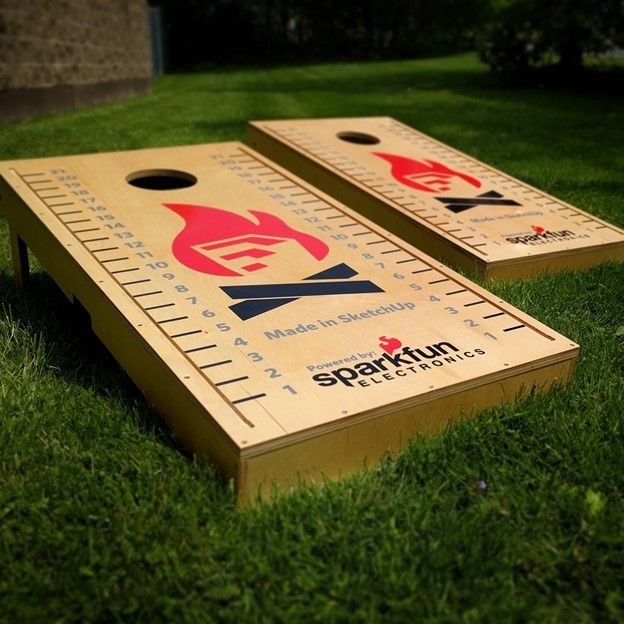
Ok, I lied about this one… it was supposed to be simple until it wasn’t. I couldn’t stop myself at just making some boards and cutting holes in them. I had them wired with lights, added wireless connectivity, and even put in speakers!
Read more about it in this blog post.
Next up, is the foosball table project.
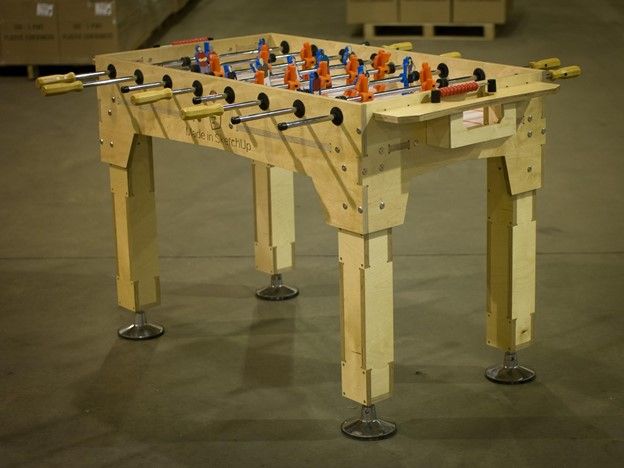
This is a foosball table I designed and built for a SketchUp tradeshow — and another project that got a bit out of hand. It started off as a simple foosball table and then evolved... a lot. The players are actually employees of SketchUp and the “teams” are two different versions of SketchUp. The table is made with competition-grade hardware, and the 3D printing, graphics, and CNC work were all derived from the 3D model.
Another favorite, is the SketchUp arcade machine designed for a tradeshow:
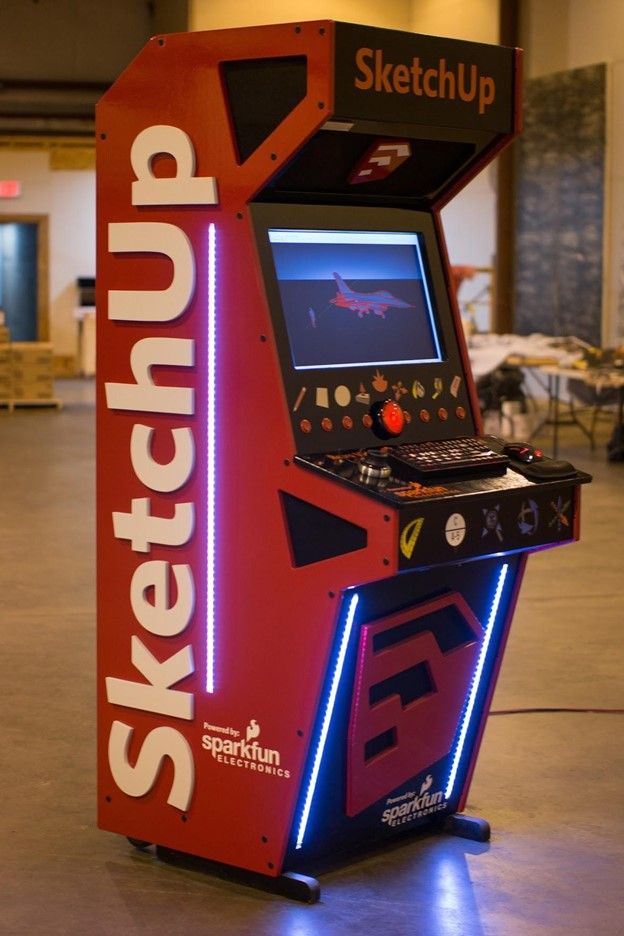
Keeping with the theme, this one also got very very out of hand. As you can see, I’ve built a fair amount of things for SketchUp tradeshows. This one was designed to get adults and kids excited about using SketchUp. The buttons all operate SketchUp commands. It even has a huge sound system and a smoke machine in it! Talk about eye-catching. Check out a video walkthrough of the project here.
And, you can download the model from 3D Warehouse.
Do you have any tips for other woodworkers out there just getting started?
Don’t be afraid of CNC! It may seem like an impossible technology to master, but it’s actually the opposite. Unlike an iPhone or a laptop, CNC parts are all quite simple and exposed. They’re easy to work on and easy to maintain. They can help you batch out cabinet parts or cut that complex curvy jig that would have taken you hours to make by hand.
They also make complexity “free”. The ability to cut any shape, or place a hole wherever you want opens up the ability to make downstream assembly much faster and easier.
To learn more about Fabber and to purchase the extension, check out Eric’s site.
Ready to achieve design excellence? It's time to give SketchUp a try. Start a free trial or find the right subscription for you today.