SketchUp is pretty robust straight out of the box. It is even more powerful because users can supercharge its capabilities by customizing it with extensions to suit their unique workflow. Based on a conversation with Anders Hus Folkedal, who’s work at Ramboll we’ve featured on the blog, we’ve shortlisted ten key extensions any 3D enthusiast can add to their workflow to improve productivity and speed up modeling. Jump on it.
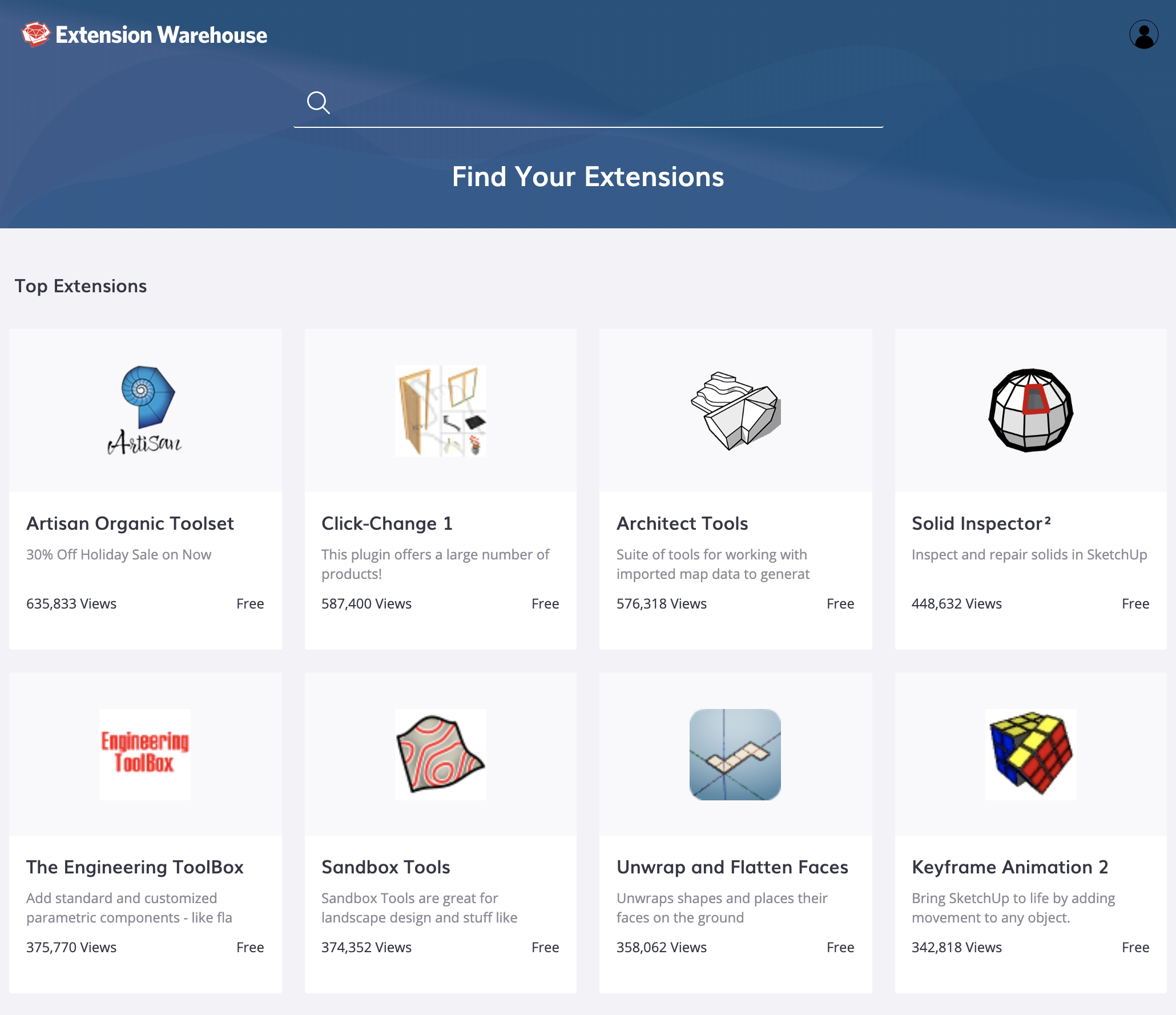
A view of top extensions in the SketchUp extension warehouse.
The rendering power trio: “I keep V-Ray in Live mode, and render from there. I’m also an avid Lumion user and Unreal Engine apprentice. All three offer the opportunity to create professional hyper-realistic renders.”
1. V-Ray 5
Image courtesy of V-Ray
Long established as a robust professional renderer within arch-viz circles, V-Ray 5 delivers polished, photo-real renders for newbies and pros alike. Its latest version, V-Ray 5 offers render options that you can quickly select and tweak to suit your style, an interactive viewing window as you model in SketchUp, and a paid cloud rendering option that frees up your hardware for other work. Geek out a lot by tweaking specific inputs or roll with inbuilt presets if you’re new to rendering.
Who uses it? Beginner to advanced users. Adapts to suit your rendering knowledge.
Great for: Interactive render viewing and High-quality professional renders
System compatibility: Windows/Mac
Pricing: Available as part of SketchUp Studio
Trial: Free for 7 days
2. Lumion Live Sync for SketchUp
Image courtesy of Lumion
Lumion Live Sync allows you to establish a live connection which means you can model and render simultaneously. This should give you a sense of pushing and pulling a real-life building. Essential for smaller scale models.
Who uses it? Intermediate to advanced user
Great for: Visualising your small scale project as you model
System compatibility: Only available for Windows
Pricing: Lumion Standard $749/year | Lumion Pro $1,499/year | Free educational license in some countries
Free trial duration: 14 days
3. Unreal Engine
Image courtesy of Turner Fleischer Architects
Developed by Epic Games and previously deployed for gaming development, Unreal Engine is ideal for creating approachable, super-fast renders that can be navigated in real-time. The Unreal Datasmith Plugin for SketchUp also enables seamless exports from SketchUp to Unreal Engine.
Who uses it? Beginner to intermediate user
Great for: Fast, real-time rendering
System compatibility: Available for Windows and Mac
Pricing: Free
4. Profile Builder 3
Image courtesy of Profile Builder
This extension massively speeds up modeling time because it makes repetitive tasks a piece of cake. Create profiles using simple or complex SketchUp faces and polylines. Extend these profiles along paths to create a profile member, and combine profile members to create parametrically-defined assemblies.
Who uses it? Intermediate to advanced user
Great for: Creating bespoke and standard profiles for repetitive geometries
System compatibility: Available for Windows and Mac
Pricing: $79 for lifetime access
Free trial duration: 30 days
5. Add Height from Datum
Need to reference heights whilst you’re modeling or during crucial stakeholder meetings? Then this extension is for you. Mark out the key levels in your design and reference them for greater accuracy throughout your design process.
Who uses it? Beginner to advanced user
Great for: Keeping track of key datums within your project
System compatibility: Available for Windows and Mac
Pricing: Free. Register with SketchUcation, an independent SketchUp community forum, to access the download
6. S4U Make Face
Image courtesy of S4U
As the name suggests, select your line drawings and Make Face will auto-fill them with faces. This is Anders’ go-to for “when I’m lazy and many faces need to be generated”.
Who uses it? Beginner to advanced user
Great for: Filling in your line drawing with faces
System compatibility: Available for Windows and Mac
Pricing: $10
Free trial duration: 5 days
7. Solid Inspector2
Image courtesy of ThomThom
This stress-relieving extension inspects and highlights issues such as reversed faces within modeled solids. Your exports for 3D printing could be ready in just a few clicks!
Who uses it? Beginner to advanced user
Great for: Checking that volumes are drawn correctly, resolving issues in solids and keeping models lighter.
System compatibility: Available for Windows and Mac
Pricing: Free
8. Fredo6: FredoTools (v3.6a)
Fredo6: FredoTools (v3.6a) is a collection of various inspection and simple manipulation tools. In particular, Edge Inspector is a handy tool for inspecting edge connections.
Who uses it? Intermediate to advanced modeler
Great for: Optimizing models using a variety of clean-up and manipulation tools
System compatibility: Available for Windows and Mac
Pricing: Free. Register with SketchUcation, an independent SketchUp community forum, to access the download
9. CleanUp3
Similar to SketchUp’s native Purge function, the aptly named CleanUp3 will tidy and optimize your SketchUp model. Choose between options to purge unused items; erase hidden geometry, duplicate faces, and lonely edges; or merge identical materials, and connected coplanar faces.
Who uses it? Beginner to advanced modeler
Great for: Removing redundant geometry and making your model lighter
System compatibility: Available for Windows and Mac
Pricing: Free - Go pro for $5
10. Fredo6: Bezier Spline
Another valuable set of tools from Fredo6 enables users to draw a variety of Polylines, Bezier and Spline curves. A unique feature it offers is the ability to edit a curve after they’ve been drawn by adjusting its control points. In combination with Profile Builder, use the Bezier Spline tool to run road profiles and road assemblies.
Who uses it? Beginner to advanced modeler
Great for: Sketching out centrelines for roads onto topographic surfaces
System compatibility: Available for Windows and Mac
Pricing: Free
Ready to use SketchUp? Become a SketchUp subscriber, or try it out using a free trial. Keen to boost productivity further? Read this article for tips on how to model large projects efficiently.