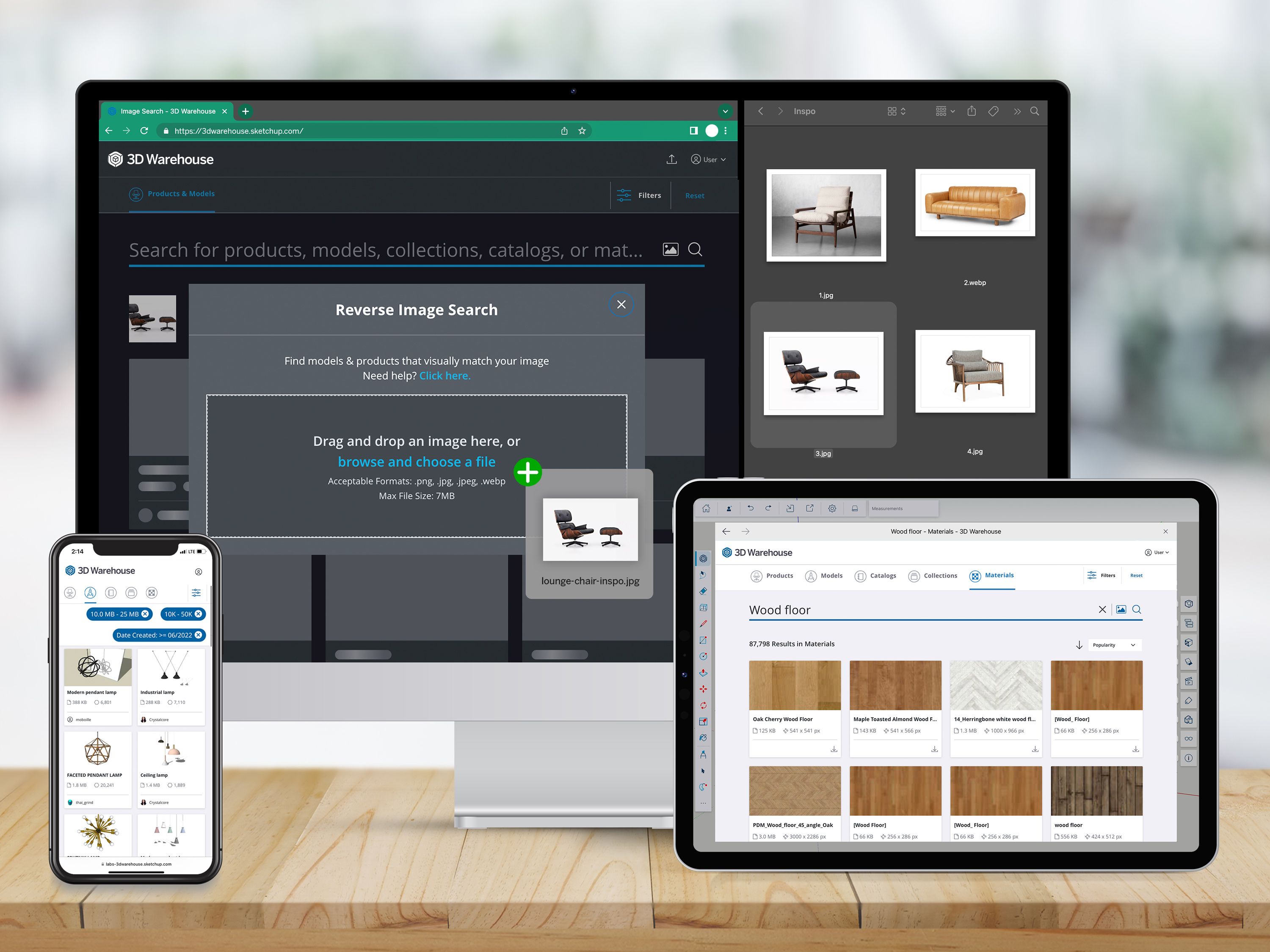
Welcome to the next generation of 3D Warehouse, the largest free 3D model library in the world. 3D Warehouse now features a fresh, unified desktop, mobile, and web interface with light and dark modes, plus a brand-new, AI-driven search feature to speed up your sourcing workflow like never before. Get design hours — or years — back with 3D Warehouse Image Search. Take any image, drop it into the 3D Warehouse search bar, and let our powerful AI search engine do the rest. Adding real-world textures and ready-to-use objects to your SketchUp model has never been as fast or easy.
Rapidly discover 3D models
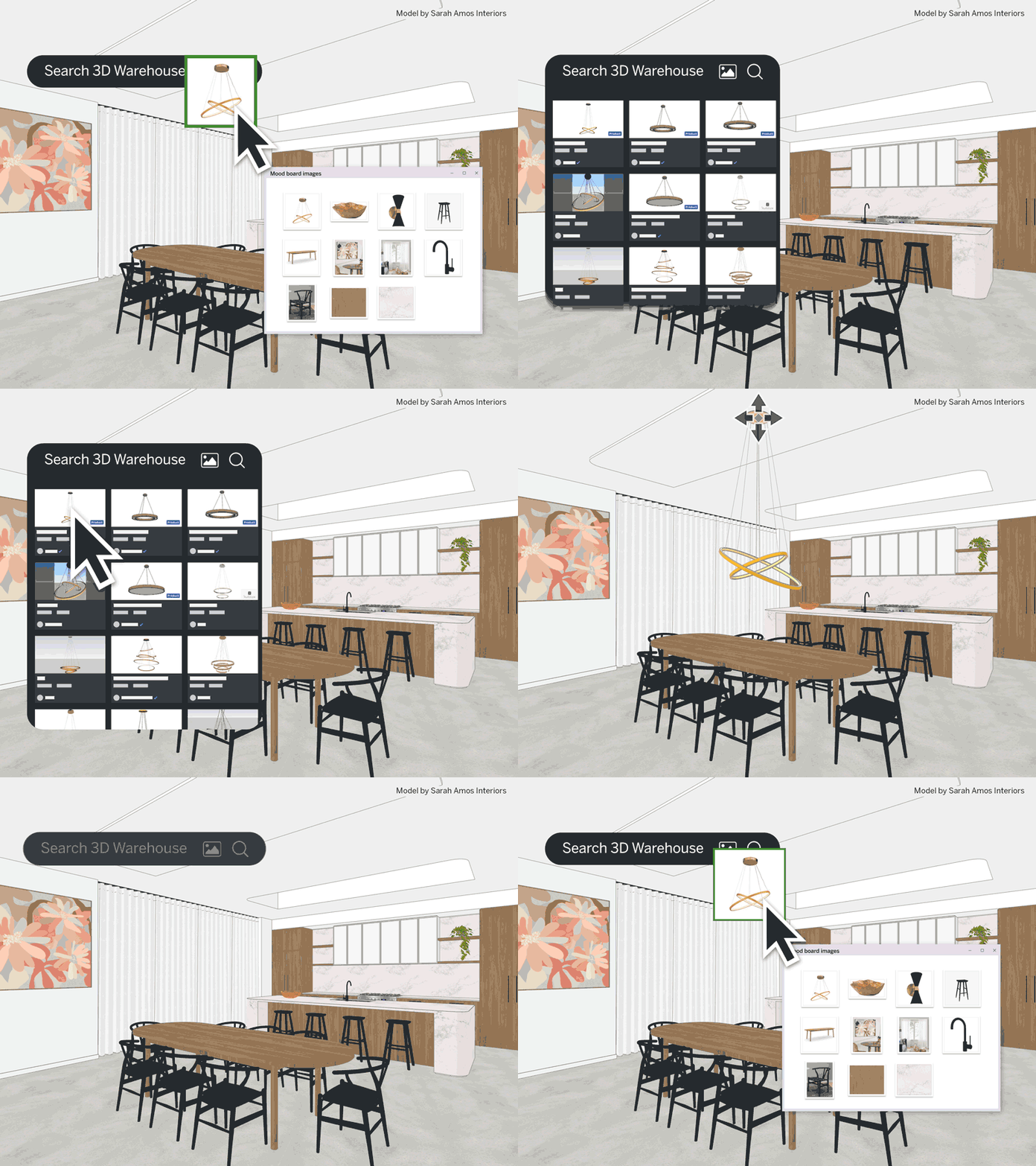
Streamline your design process by searching for 3D models with images instead of text in 3D Warehouse’s search bar. Take a photo of a chair from a showroom floor or a mood board and drop your inspiration into our intelligent search engine. Sit back and let AI quickly hunt through millions of pre-built models to pinpoint ideal matches.
Move from design to client approval to specification faster — 3D Warehouse searches include real products from manufacturers. Keep an eye out for Live Components that can be parametrically customized to fit your design requirements. Plus, you’re not limited to searching with just text-based keywords; image searching leaps over language barriers to shortlist the best models from every corner of the world.
See what others are saying:
“This really is a game-changer! Most of the time, I give a customer the advice to look for some nice IKEA furniture because of the large quantities of models in the 3D Warehouse. With this update, I can just import a Pinterest picture and look for the most similar model!”
-Mauri Prosch, Virtual Reality Visualizer at Imagineering
“My design clients request furniture to be included using a single picture and no other information. This image search feature, which I have internally been wishing for, for years, will add years to my life — in a good way!”
Mike Bell, Freelance 3D Designer
“One of the most challenging things about having a very large library of objects to search from in 3D Warehouse is finding exactly what options you have and doing that quickly. Trimble has beautifully attacked this pain point using AI technology with its new image search option.”
Anthony Frausto-Robledo, AIA, LEED AP, Editor-in-Chief, Architosh
If you still need convincing, 3D Warehouse Image Search won Architosh’s “Best of Show: Innovation” AIA23 award.
Source materials with ease
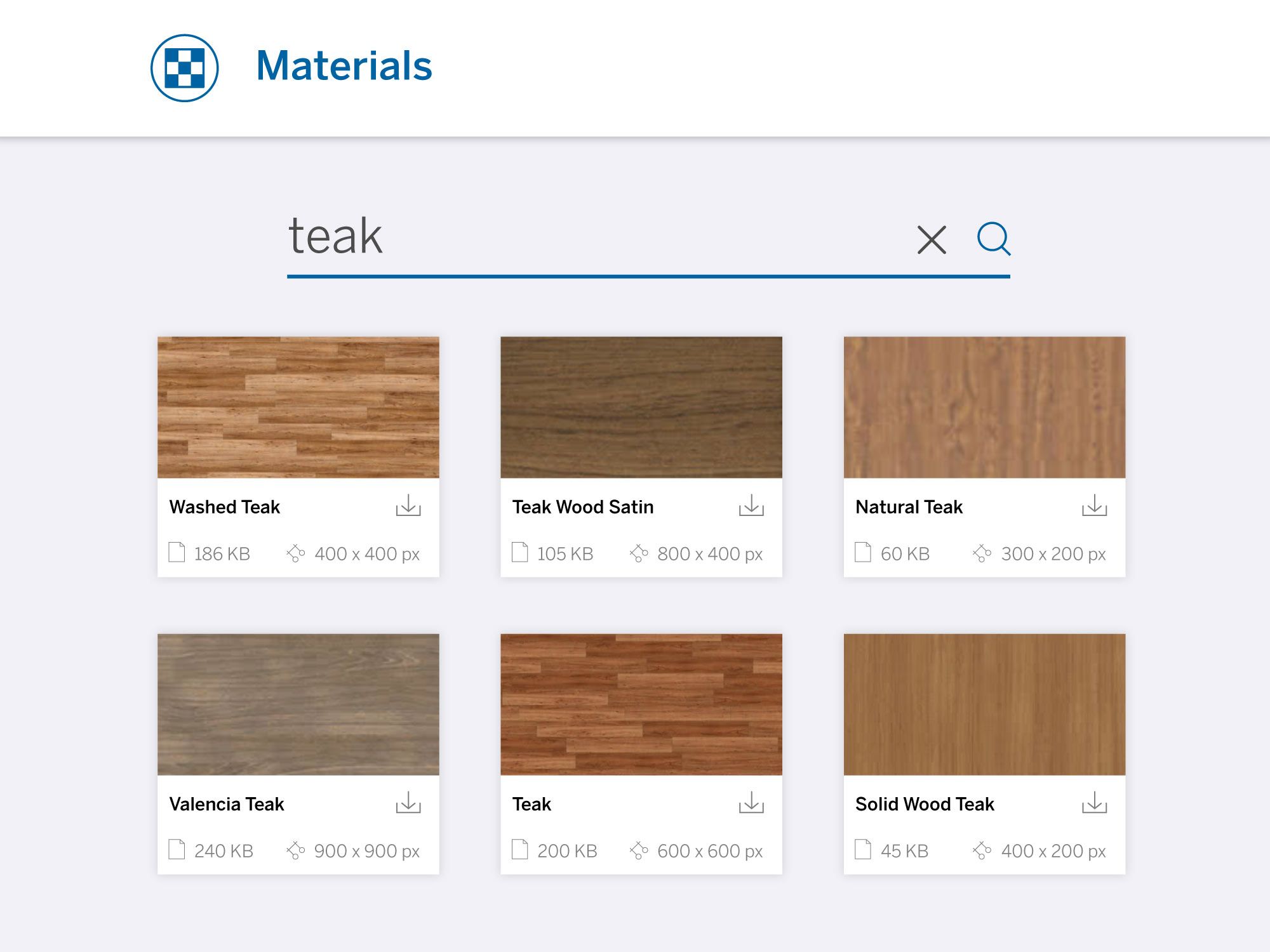
We didn’t limit the love to just searching for 3D models — materials are now searchable, filterable, and directly downloadable from the Materials tab in 3D Warehouse. You can now easily source material and texture swatches for use in SketchUp using keyword search. Simply type the name of the material into the search bar, and click the Materials tab.
Access your favorites wherever work’s happening
Easily access your favorite products, models, catalogs, and collections across desktop, mobile, and web when you log in with your Trimble ID. When you launch 3D Warehouse within a SketchUp project, all your curated content will be accessible for use right in your model, speeding up your workflow.
In case you missed it
Here are two powerful features we want to make sure you didn't miss in 3D Warehouse:
Check out augmented reality viewing of lightweight models under 10MB and 200,000 polygons. 3D Warehouse automatically converts your creations into USD and GLB format and provides a shareable QR code. Help your audience experience your work using AR viewing on Android or iOS — no hyper-tech devices or model conversions required.
Filter product and model search results by file size, polygon count, and file type and tick specialty filters to zoom in on Dynamic Components, Live Components, or Geolocated models.
Get started
Speed up your design process by discovering exactly what your project needs with the new 3D Warehouse, and cut out the confusion by communicating your true design intent to clients.
Now that we’ve transitioned Image Search from our free Labs program to our subscription plans, if you’re an existing subscriber, log in to harness the full power of 3D Warehouse, including unlimited Image Search. Not a subscriber? Find the right subscription for your needs, or start a free trial today.


