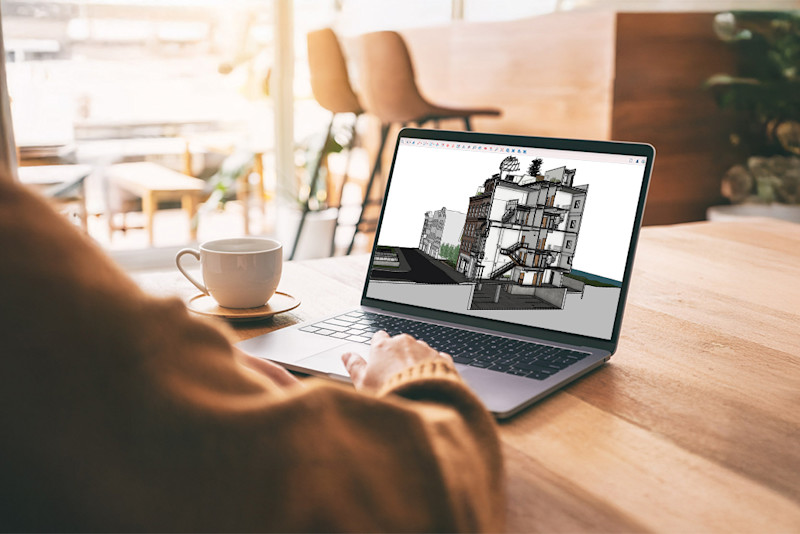
Overview
Features and highlights
Import and translate Revit files into SketchUp for quick, creative iteration at any project phase.
Bring existing or as-built conditions into SketchUp with point cloud imports and manipulation.
Quickly iterate on concepts across teams with robust 3D modelers for Desktop, Web and iPad.
Transform your 3D models into professional 2D drawings, presentations, and construction documents.
Collaborate seamlessly with team members, share files, and manage project data in the cloud.
Technical specifications
An internet connection is required both to install and authorize your subscription. Some features within SketchUp also require an internet connection.
Windows 11
Recommended Hardware Requirements
A 2+ GHz processor.
A graphics card that’s separate from the CPU, also known as a discrete graphics card. Most current generation AMD or NVIDIA cards on the market are considered discrete.
At least 8GB of RAM.
At least 6GB of available hard disk space.
A modern GPU with at least 8GB VRAM. SketchUp’s classic renderer requires OpenGL 3.1 support. SketchUp’s performance relies on your graphics card driver and its ability to support OpenGL 3.1 or higher.
A modern GPU with at least 32GB of VRAM when interacting with models utilizing materials with Physically Based Rendering (PBR) texture maps, Ambient Occlusion, and Image Based Lighting.
A 3-button, scroll-wheel mouse.
Please note: Point cloud scanning hardware, as well as Trimble Siteworks and Earthworks software, are not included with a SketchUp Pro Advanced Workflows subscription. Users must purchase Dependencies separately from a third-party reseller or supplier.
Pricing and plans
Available as an annual subscription.
Annual: $45.75 per user per month, billed annually | $549 per year
Contact Sales for Enterprise and EDU plans
Pricing Excludes tax and VAT.
Payment options may vary based on your location or region.
What's included
Software access: Access to Revit Importer, Scan Essentials, plus everything included in the Pro subscription - SketchUp for Desktop, SketchUp for iPad, SketchUp for Web, LayOut, 3D Warehouse, Extension Warehouse, and more.
Support: 24/5 technical support via email and the Trimble Support Portal
Updates: ongoing security patches and feature updates at no extra cost
Resources: unlimited access to the online knowledge base, community forums, and SketchUp courses
Storage: unlimited secure cloud storage with Trimble Connect
How it works
1. Purchase: Select your preferred plan and complete the streamlined checkout.
2. Activation: Once your order is confirmed, log in to the Trimble Admin Console using your Trimble ID.
3. Assign Licenses: Use the console to assign licenses to yourself or your team members.
4. Download and launch: Follow the setup link in your confirmation email to download the software or access the web-based application.
5. Design & Collaborate: Start creating projects in 2D or 3D and invite collaborators immediately.
Overview
Features and highlights
Import and translate Revit files into SketchUp for quick, creative iteration at any project phase.
Bring existing or as-built conditions into SketchUp with point cloud imports and manipulation.
Quickly iterate on concepts across teams with robust 3D modelers for Desktop, Web and iPad.
Transform your 3D models into professional 2D drawings, presentations, and construction documents.
Collaborate seamlessly with team members, share files, and manage project data in the cloud.
Technical specifications
An internet connection is required both to install and authorize your subscription. Some features within SketchUp also require an internet connection.
Windows 11
Recommended Hardware Requirements
A 2+ GHz processor.
A graphics card that’s separate from the CPU, also known as a discrete graphics card. Most current generation AMD or NVIDIA cards on the market are considered discrete.
At least 8GB of RAM.
At least 6GB of available hard disk space.
A modern GPU with at least 8GB VRAM. SketchUp’s classic renderer requires OpenGL 3.1 support. SketchUp’s performance relies on your graphics card driver and its ability to support OpenGL 3.1 or higher.
A modern GPU with at least 32GB of VRAM when interacting with models utilizing materials with Physically Based Rendering (PBR) texture maps, Ambient Occlusion, and Image Based Lighting.
A 3-button, scroll-wheel mouse.
Please note: Point cloud scanning hardware, as well as Trimble Siteworks and Earthworks software, are not included with a SketchUp Pro Advanced Workflows subscription. Users must purchase Dependencies separately from a third-party reseller or supplier.
Pricing and plans
Available as an annual subscription.
Annual: $45.75 per user per month, billed annually | $549 per year
Contact Sales for Enterprise and EDU plans
Pricing Excludes tax and VAT.
Payment options may vary based on your location or region.
What's included
Software access: Access to Revit Importer, Scan Essentials, plus everything included in the Pro subscription - SketchUp for Desktop, SketchUp for iPad, SketchUp for Web, LayOut, 3D Warehouse, Extension Warehouse, and more.
Support: 24/5 technical support via email and the Trimble Support Portal
Updates: ongoing security patches and feature updates at no extra cost
Resources: unlimited access to the online knowledge base, community forums, and SketchUp courses
Storage: unlimited secure cloud storage with Trimble Connect
How it works
1. Purchase: Select your preferred plan and complete the streamlined checkout.
2. Activation: Once your order is confirmed, log in to the Trimble Admin Console using your Trimble ID.
3. Assign Licenses: Use the console to assign licenses to yourself or your team members.
4. Download and launch: Follow the setup link in your confirmation email to download the software or access the web-based application.
5. Design & Collaborate: Start creating projects in 2D or 3D and invite collaborators immediately.
Please get in touch with your account owner for assistance. If you wish to make a purchase, we recommend signing out and creating a personal account.