Here are all the extensions you need to know, as recommended by architectural designer Kyle Burns. He spent over 10 years as a designer at architecture firms across the US, but it was not until he started working at SketchUp that he truly understood the power of extensions.
You don’t know what you don’t know.
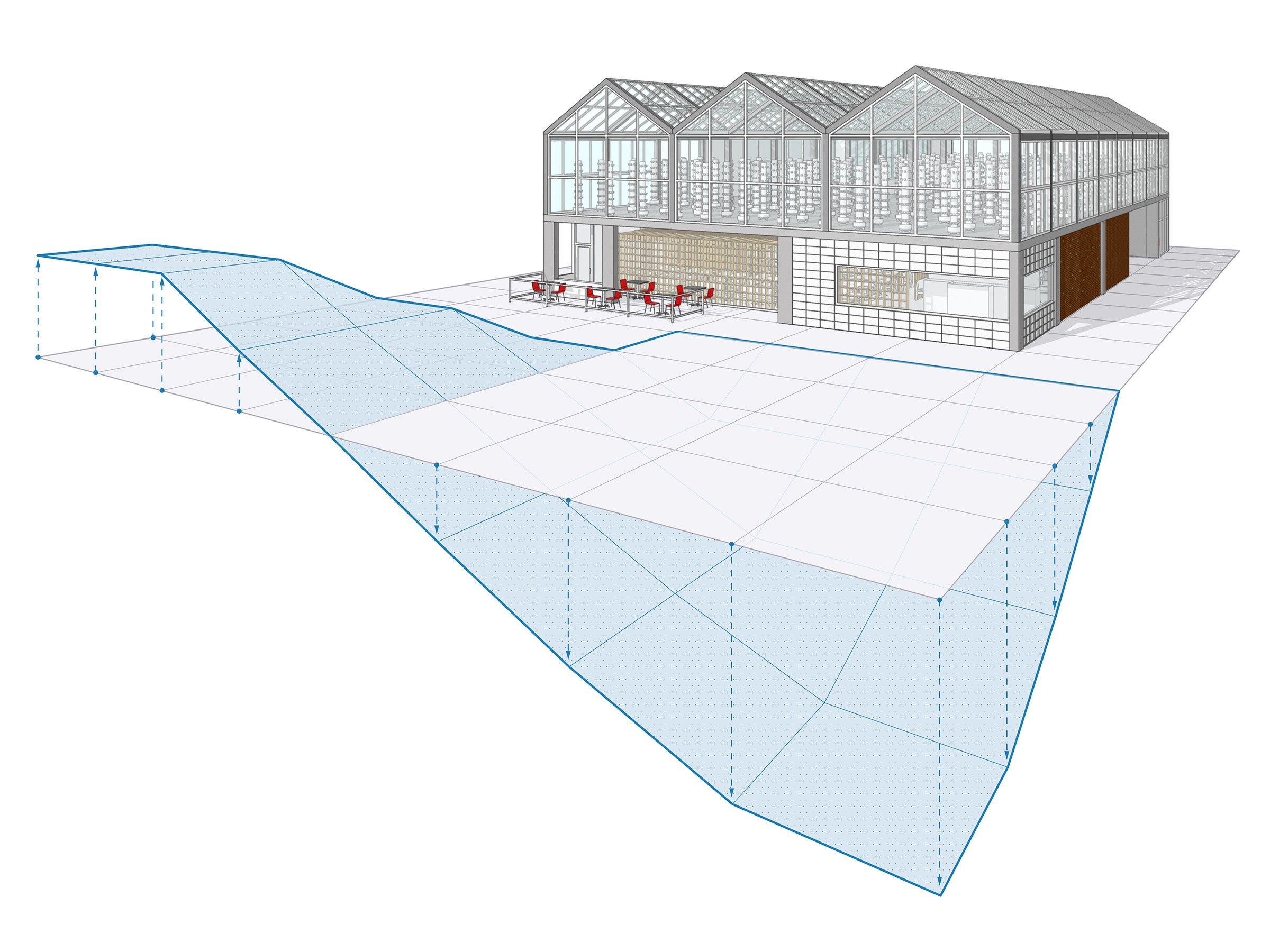
SketchUp users tend to think they are using the program efficiently. Often, we are modeling the same way we did when first introduced to the program. Don’t be embarrassed, I was in the same boat. Architects often dedicate more of their time and effort to Revit or CAD when thinking about project milestone deliverables; they may not know they can do it with extensions in SketchUp.
Every year, SketchUp adds new features and functionalities based on user feedback, as well as our core beliefs about what software should be: intuitive, simple, productive, and fun. It is critical for architects to adapt how they model within SketchUp, as the product evolves. Independent developers can and do create free and paid extensions for a wide range of basic and niche tasks. Learning a few quick extensions can save many billable hours when used correctly.
The following are some extensions that I wish I knew when working at commercial architecture firms. Now, as a Customer Success Manager at SketchUp, I often work with design firms that want to improve their workflow. I’ve recommended these extensions with success, and they are free to download from Extension Warehouse or SketchUcation.
Extensions for CAD CleanUp and Importing
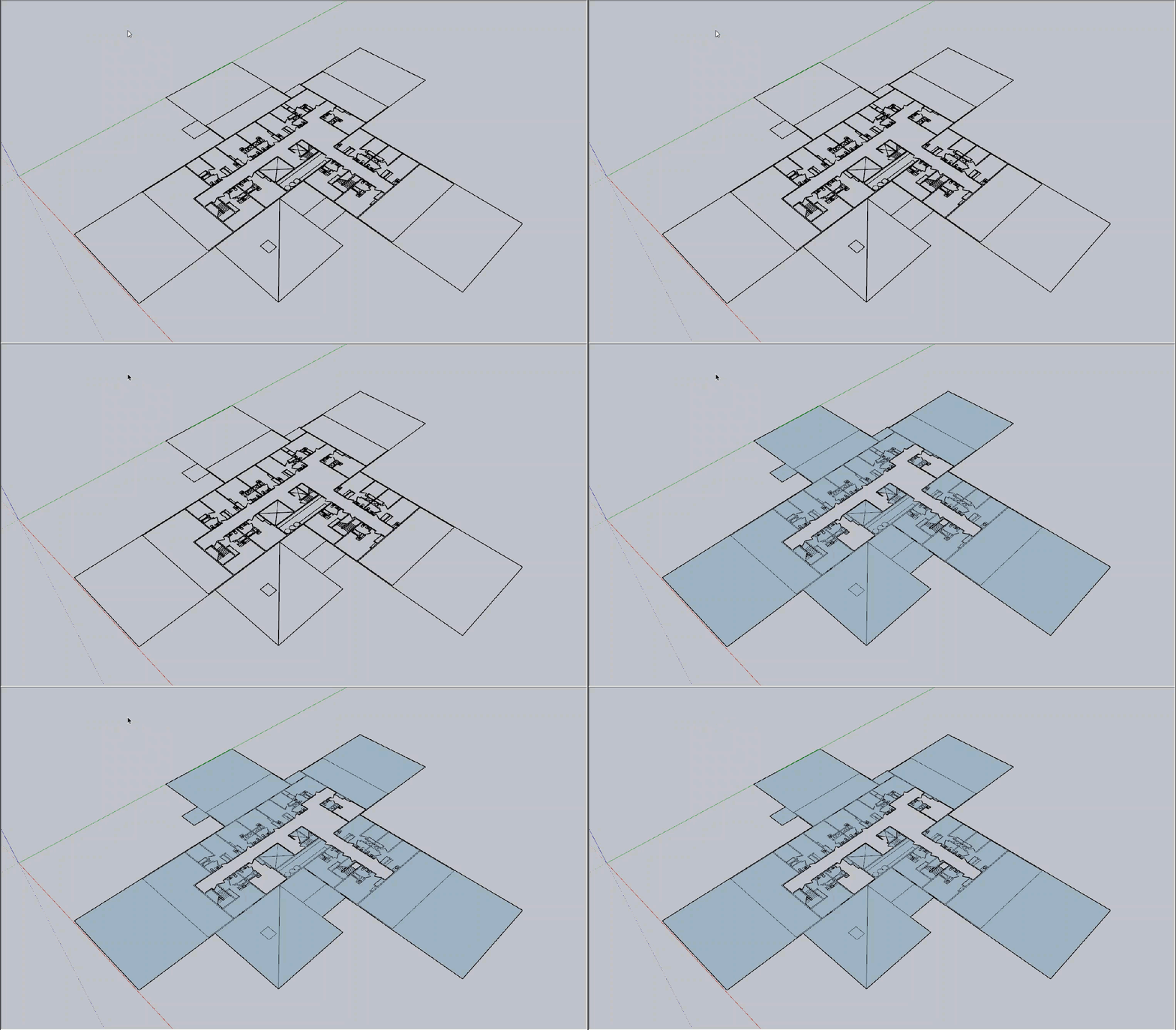
Using Eneroth Face Creator to generate faces from CAD linework.
Why?
Architects often build from existing drawings or quick layouts done in CAD, especially when modeling existing structures or constraints. These extensions can save hours when creating a model from a CAD .dwg.
Extension: CleanUp3
Use: Use this tool to quickly rid the .dwg of unclean linework or unused layers.
Extension: Eneroth Face Creator
Use: With this extension, you don’t need to trace CAD linework to convert the drawing into usable SketchUp faces. Talk about a time-saver!
Extension: Edge Tools
Use: With this tool, you can close and clean up gaps in CAD drawings to easily make faces in SketchUp.
Extension: Eneroth Flatten to Plane
Use: If you are using CAD drawings from consultants that use elevations (i.e. civil engineers), you may want the linework flattened. If lines are a fraction of an inch off in the Z axis (elevation), SketchUp will have difficulty creating geometry. This extension ensures all CAD linework is at 0 on the Z-axis.
Want more?
Take an in-depth course from SketchUp Campus to see how these extensions work together to expedite preparing CAD drawings for modeling. I recommend 3 Ways to Boost Your CAD to 3D Workflow.
Extensions for Model Size and Maintenance
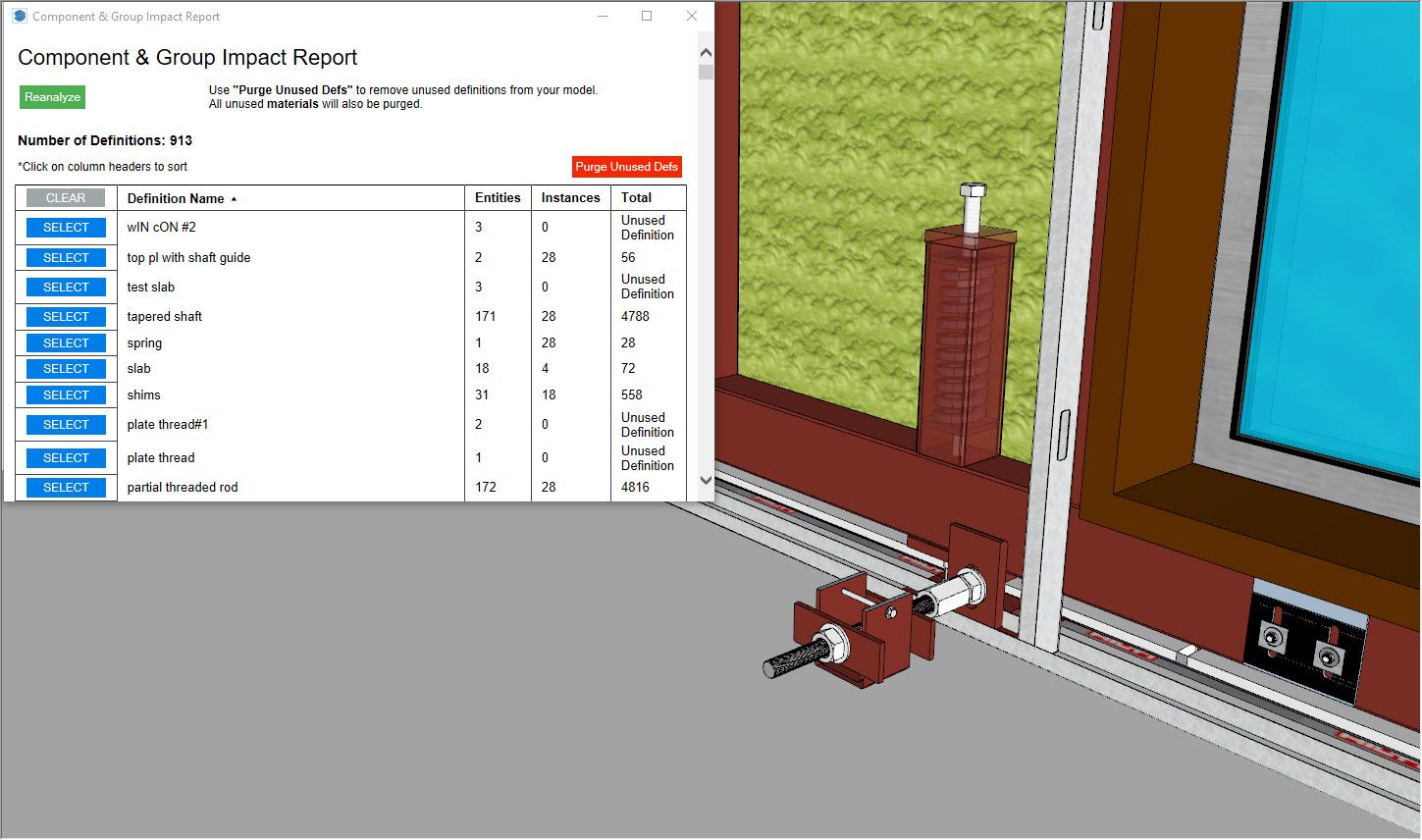
Using CG Impact Report to view how this high polygon screw is affecting model performance.
Why?
As models become more complex and populated with textures and entourage, you can find yourself with a frustrating ‘boggy model’. Materials and polygon count factor into a model’s performance and should be maintained.
Extension: CG Impact Report
Use: Overly detailed models from the 3D warehouse can have negative effects on your model’s performance. Manage and understand how groups and components affect performance with this extension.
Extension: Material Resizer
Use: This extension allows you to change the image size from within SketchUp. You can use it to reduce large image files that slow down your model. Note: once the image has been reduced, you cannot undo the operation.
Extension: CleanUp3
Use: I mentioned this extension for CAD cleanup, but it’s also great for maintaining a clean model via purging at various settings.
Extensions for Model Creation
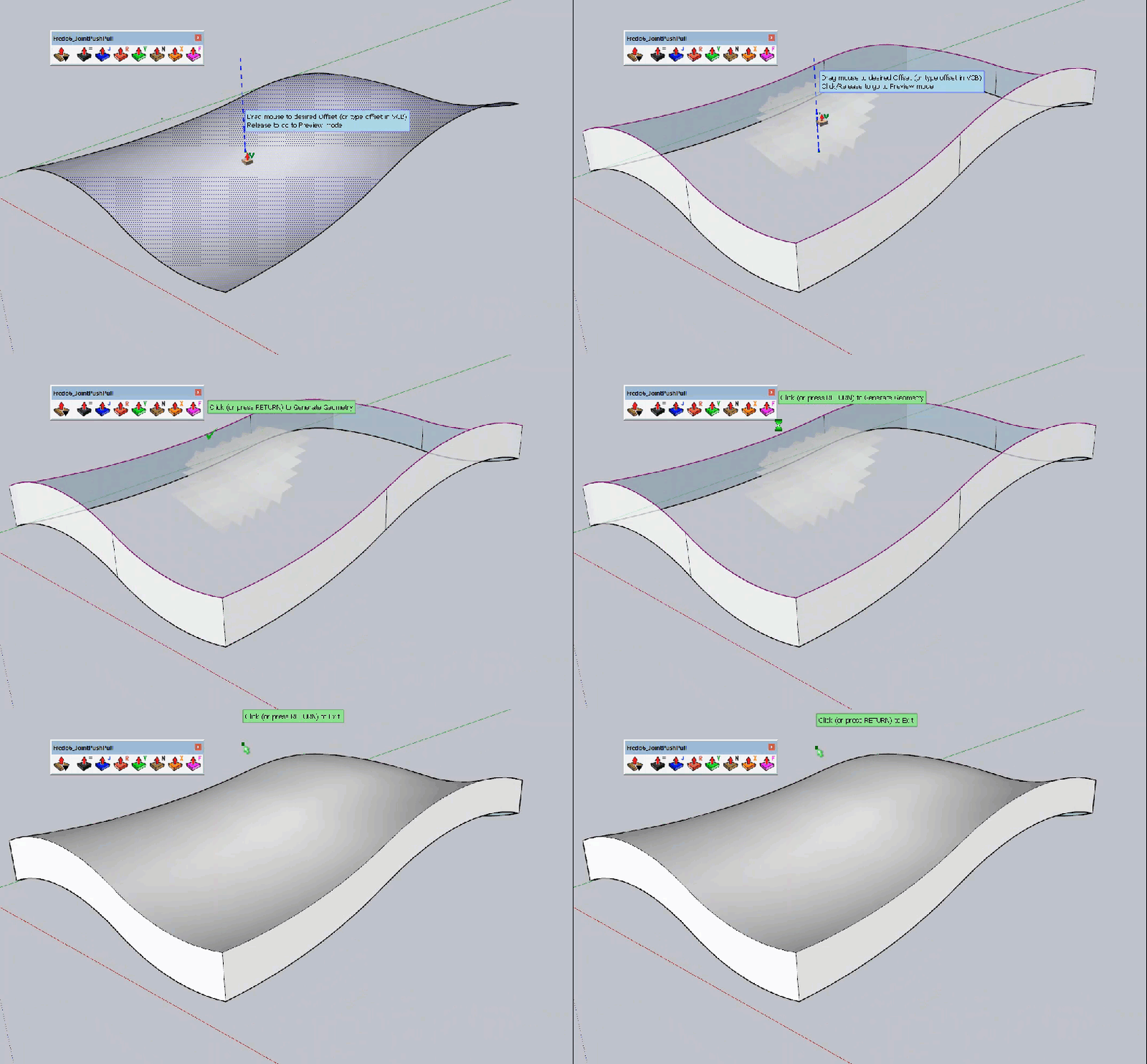
Using Joint Push Pull to give thickness to organic surfaces.
Why?
Creating organic geometry can be time-consuming and complicated. Not with these extensions.
Extension: Joint Push Pull
Use: This is one of my favorites — this great extension allows more freedom in pushing and pulling faces, even curves!
Extension: Curviloft
Use: It’s similar to sandbox tools, which help build out the landscape and smooth-rolling patterns. However, this extension has more freedom to generate organic shapes.
Extension: Toposhaper
Use: Toposhaper creates sites and grades from points or contours. I like to use this extension with Scan Essentials (another great extension that turns point cloud data into 3D models) to create an accurate site.
Get a SketchUp subscription for access to the latest and greatest functionality in our ecosystem. You’ll be producing marvelous models in no time. Not sure which offering is the best fit for your needs? Try a free trial.