We know that the stakes have never been higher for design professionals. Winning and keeping business requires creating stunning deliverables and exceptional experiences for clients.
But sharing and collaborating in 3D hasn't always been easy. Even though you design three-dimensionally, you may have to communicate your ideas through screenshots and PNGs or lug your laptop from the office to a client meeting.
We're excited to introduce new features in our iPad and Web apps that take the headache out of sharing and communicating in 3D. Use our latest presentation and link-sharing capabilities to curate compelling 3D experiences anywhere.
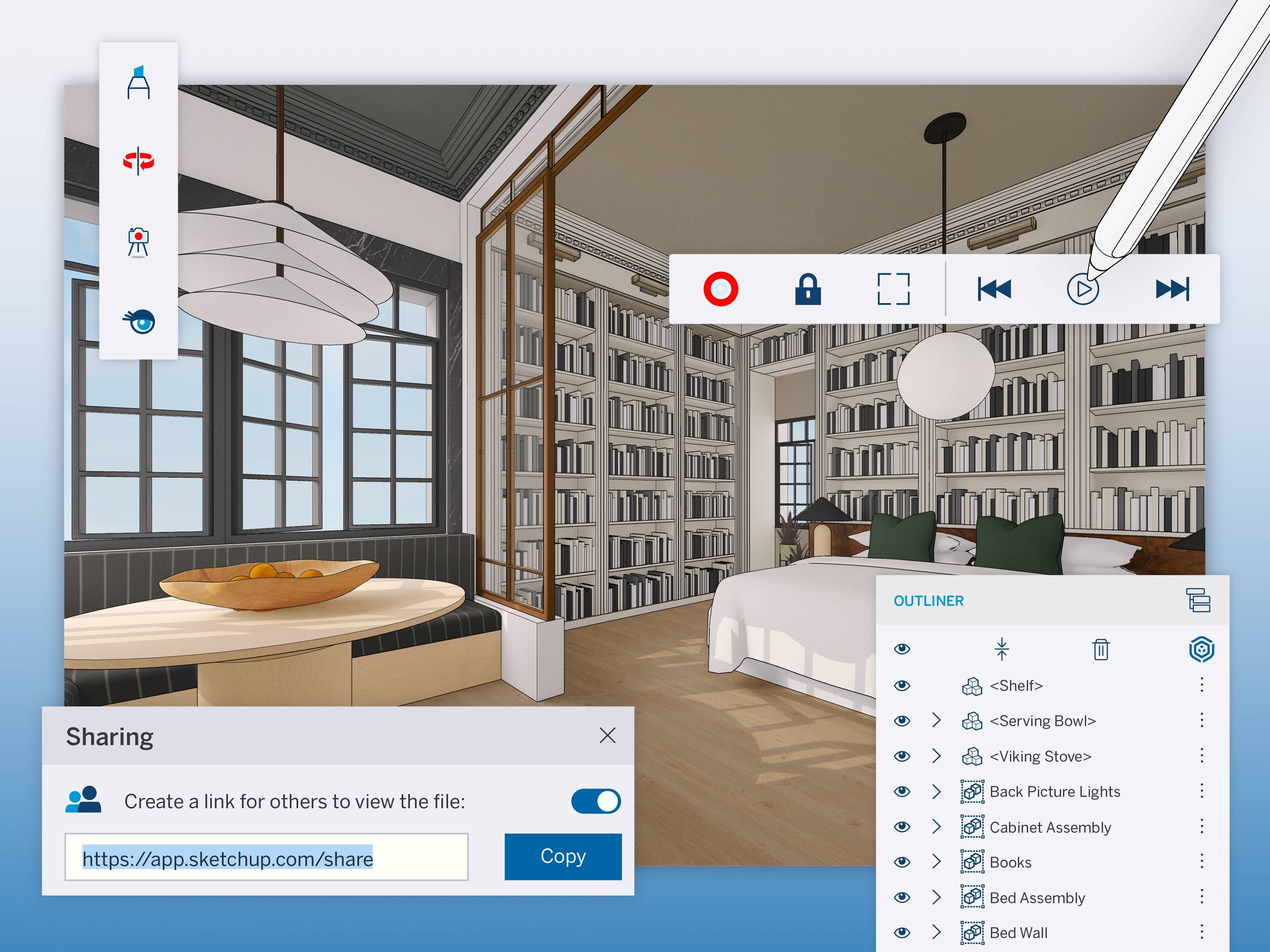
SketchUp’s new Presentation Mode on iPad is out! Navigate 3D walkthroughs with its simplified user interface, or go full-screen to let your designs do the talking. Glide through scenes using a three-finger swipe gesture, play animations, or activate the new Laser Pointer tool to focus attention when using an external display to share over video calls.
Powerful 3D presentations
Curate that perfect walkthrough with a client, virtually or in person, with a simple user interface and easy-to-use presentation controls.
Mark up a 3D model in real-time with a client to streamline collaboration.
Drive the conversation forward by sliding to your next pre-built, 3D scene.
Let collaborators get hands-on with their feedback, with some guardrails. Lock the model viewport on your iPad, so they can view the model without the risk of accidentally editing geometry. Or, hand over the Apple Pencil and let collaborators mark up overtop your model while in Presentation Mode.
Working together is now easier across our iPad and Web apps using link sharing. Simply create a link, and share that URL with anyone to show off your 3D ideas. Collaborators can open your model in a view-only mode in SketchUp for Web without logging in or downloading any software. Ditch the screenshots and PNGs in email and immerse others in your living, breathing 3D model!
The finer points of teamwork
Share your 3D model with anyone (even non-SketchUp users) using a link.
Enjoy real-time updates; making changes to your models will prompt collaborators in-app to refresh for the latest version.
Revoke access at any time by stopping link-sharing.
That’s not all. With these tool updates, we’ve given SketchUp for iPad serious modeling muscle.
Core modeling improvements
Use the Rotated Rectangle tool to draw rectangles at precise angles in fewer clicks.
Add text in 3D to your model with the 3D Text tool. Type into the dialog panel, adjust the text and watch it come to life in 3D.
Organization nerds rejoice! Outliner is in SketchUp for iPad. Now, you can organize objects in a clean hierarchy and control their visibility within the Outliner tree.
The journey to get your ideas built requires both creativity and collaboration. With these new updates to SketchUp for iPad and Web, the adventure just got easier. Catch the complete list of updates in our release notes.
Get started
If you’re a Go, Pro, or Studio subscriber, download the iPad app today.
If you’re just beginning your 3D journey, start a free trial of SketchUp Go via the Apple App store. Just scan the QR code below to get started.