Skip to content

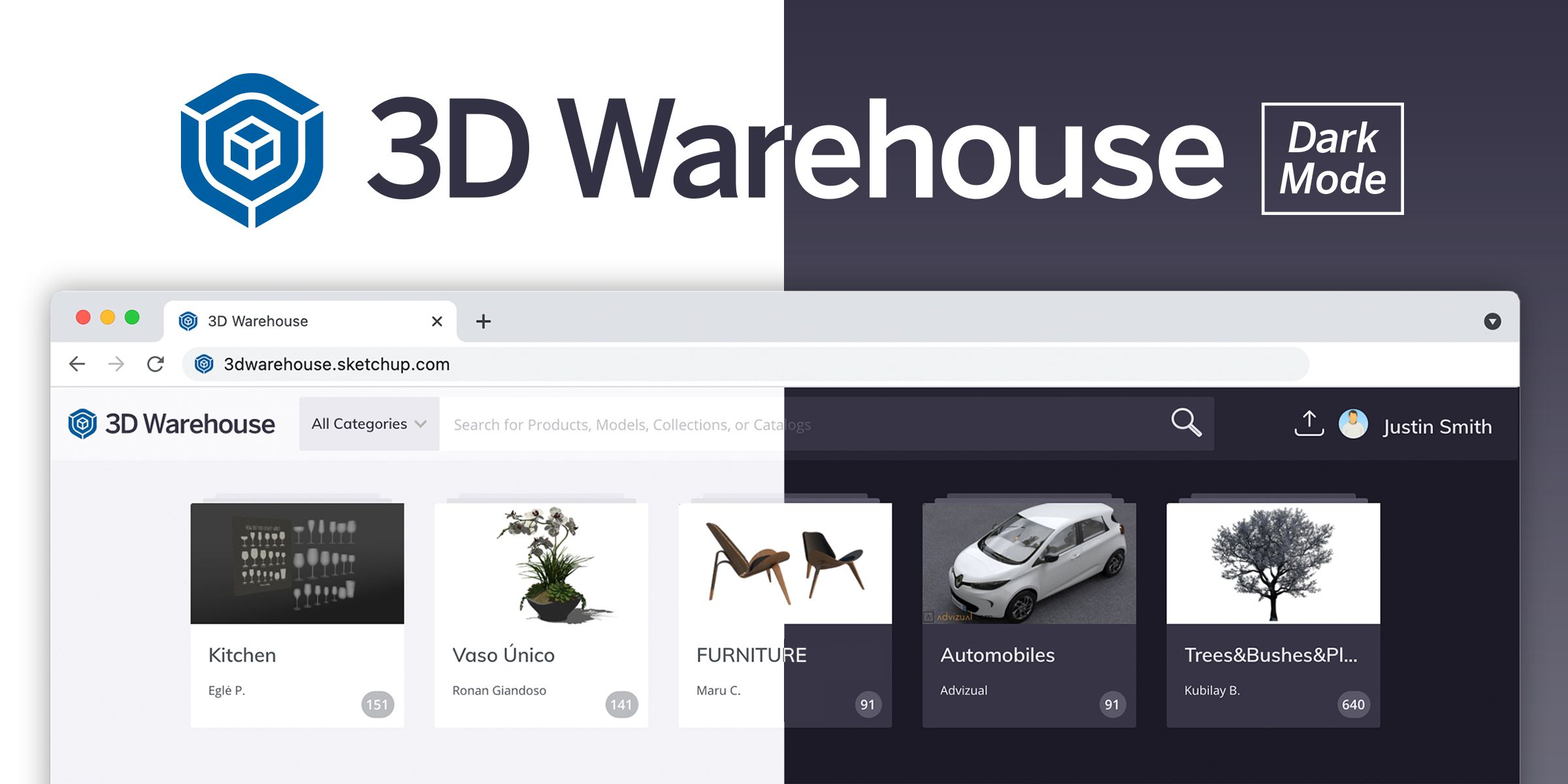
Introducing dark mode viewing for 3D Warehouse

2 minutes read
| |
March 1, 2022

Share this post:

Dark Mode Viewing for 3D Warehouse

Calling all SketchUp fanatics! Do you spend copious amounts of time squinting at screens in the quest for a perfectly furnished 3D model? Well, we have some exciting news to share with you. Meet the new way of viewing 3D Warehouse models with dark mode! 

This new display setting is easy on the eyes, in more ways than one. For starters, the slick-looking contrast makes 3D assets pop on the screen when browsing for models or collections.

It’s also designed with your eyes in mind. For those who work long hours on computers, the lower brightness setting can reduce eye fatigue (as studies suggest) and it’s perfect for all you night owls trying not to disturb others with bright screens. Even better, it uses less energy, which means it's good for your battery life. Winning!

Are you ready to give it a go? Here’s how you can access it:

  1. Head over to 3D Warehouse. 

  2. Hover over your Avatar menu (upper right) and click on 3D Warehouse Settings.

  3. Scroll to the bottom of the Settings page to locate Theming.

  4. Put a check in the box next to "Enable Dark Theme?" and click save.

Once you change your settings, 3D Warehouse will automatically remember your preferences the next time you log in. Do you prefer this dark aesthetic? Let us know in the forums!

Related articles

Article

Turner Construction Company case study

Using software to aid communication and deliver construction projects effectively....
Read full article
Article

Visualize and build automated warehouse systems with SketchUp

Senior Applications Engineer at TGW, an international provider of warehouse automation solutions, sh...
Read full article
Article

Orchestrating a global design sprint for the JAL Lounge at Liverpool's Anfield football stadium

Long-distance collaboration and a short deadline complicated completion of a new hospitality lounge ...
Read full article
Attention

We tried to combine the products in your guest cart with your saved cart, but we encountered an issue while merging them. When choosing a subscription, please select either monthly or yearly as they cannot be combined. Kindly review your cart before proceeding to checkout.

Cart updated
Some items in your cart are not available for purchase in your region, so we removed them. Please review your cart before proceeding.

Items Removed:
Attention

The software you are trying to purchase is not available in your country or region.

Cart updated
The items in your cart have been updated for two reasons. Firstly, the prices now match the currency linked to your account address. Secondly, some items have been removed because they are not available for purchase in your region. Please review your cart before proceeding.

Items Removed:
Cart updated
The items in your cart have been updated for two reasons. Firstly, you've added too many of one item to your cart. Secondly, some items have been removed because they are not available for purchase in your region. Please review your cart before proceeding.

Items Removed:
Cart updated
The items in your cart have been updated for three reasons. Firstly, the prices now match the currency linked to your account address. Secondly, you've added too many of one item to your cart. Thirdly, some items have been removed because they are not available for purchase in your region. Please review your cart before proceeding

Items Removed:
Cart updated

Your currency has been changed to match the currency associated with your account address.

Cart updated

Your cart has been updated for two reasons. First, the prices now reflect the currency associated with your account address. Second, you've added too many of one item to your cart. Please review your cart before proceeding.

Cart updated

While combining the products in your guest cart with your saved cart, at least one item in your cart has exceeded the maximum allowable quantity. Please review and correct your cart before proceeding to checkout.

Attention

We were unable to access your account information. Please contact customer support for assistance.

Attention
Unable to update shopping cart information. Please refresh the page to resolve the issue. If this issue persists, please contact Trimble support.
© 2026 Trimble Inc.

Trimble is a global technology company that connects the physical and digital worlds, transforming the ways work gets done. With relentless innovation in precise positioning, modeling and data analytics, Trimble enables essential industries including construction, geospatial and transportation. Whether it's helping customers build and maintain infrastructure, design and construct buildings, optimize global supply chains or map the world, Trimble is at the forefront, driving productivity and progress.