Skip to content

3D Warehouse AR View: See your models in a whole new dimension

2 minutes read
| |
May 9, 2022

Share this post:

We’re excited to announce augmented reality (AR) viewing — via a QR code — for 3D Warehouse. How would you like to get buy-in from a client on a proposed new fixture by letting them walk through their kitchen before it’s built? Or, show your friend what a velociraptor would look like in your backyard? Anything is possible with AR viewing! Upload a model to SketchUp’s 3D Warehouse and share it in a new dimension with anyone. 
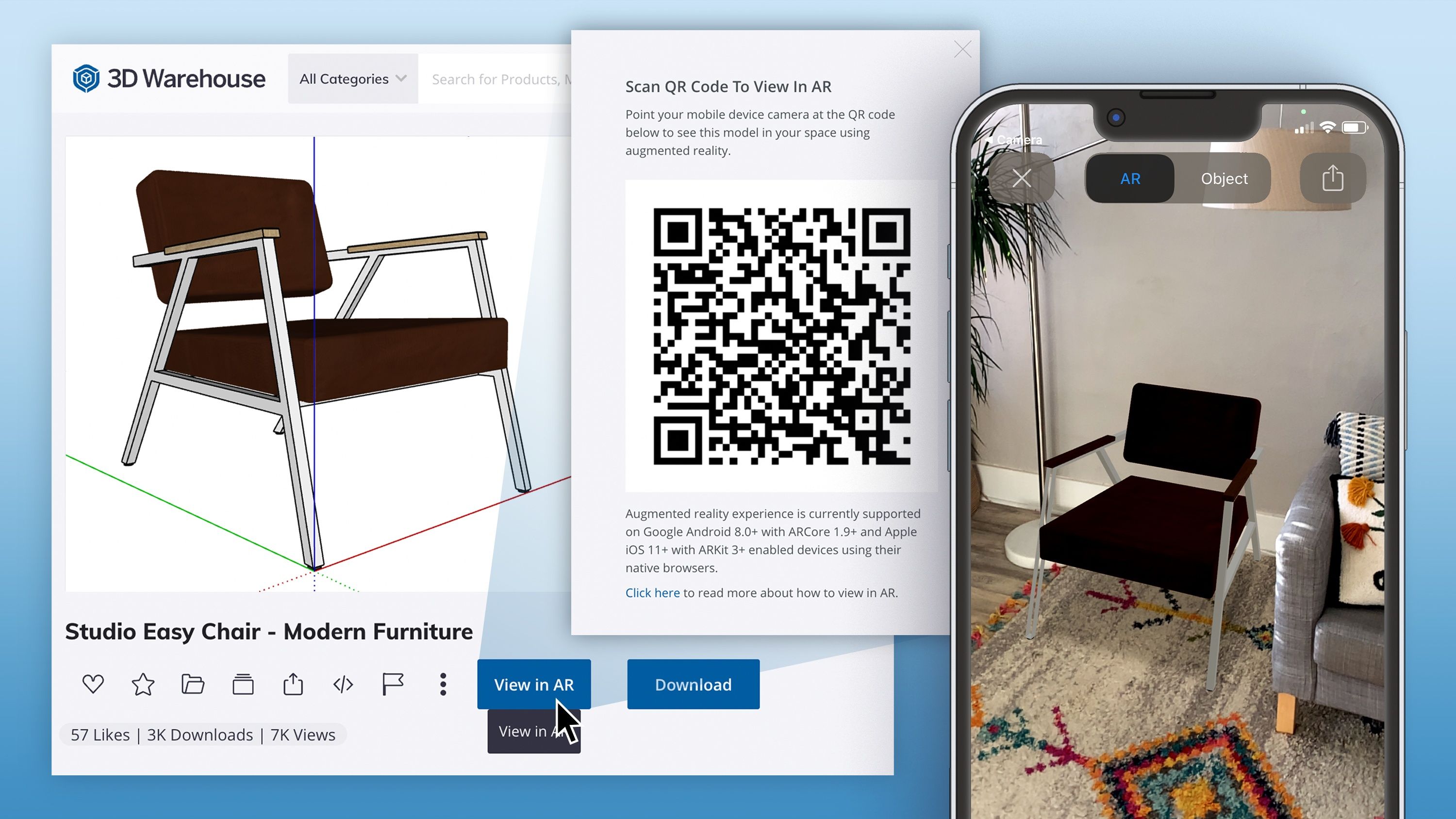
Collage showing image of a chair in 3D Warehouse, a QR code to scan to show the chair in AR, and the chair in AR

Why use AR for design? 

Designers who use AR can bring 3D models to life through contextual visualization with the ease of viewing through a mobile phone or tablet. Plus, it’s a critical collaboration tool. Send clients and team members a QR code for AR viewing and let the technology do the hard job of explaining how your model will look in real life. This new feature will save you a jaw ache. Architects can send their clients a custom built-in for a new house, interior designers can send tenants redesigned workstations for an open space office concept, and contractors can show sub-contractors project phasing before shovel hits pavement. Use AR viewing for professional work, home remodels, or just for fun (aka that 3D velociraptor hanging out by your pool)! 

Using a QR code to view 3D Warehouse models in AR is easy and accessible; many mobile phones and tablets already support the technology.

See your model in a new dimension

Let's try adding a new active sitting chair to your office setup! Follow our steps below to start using AR viewing in your workflow:

  1. Head over to the 3D Warehouse. 

  2. On your desktop or laptop, search for a 3D model you’d like to see in your space like “Turnstone Buoy” (that’s a fun one). Your search result will appear. 

  3. Click on the model name to head to the model details page. 

  4. Here you’ll notice a new button, View in AR. Click on that, and you’ll see a QR code pop up.

  5. Use your mobile device to take a photo of the QR code and watch the magic happen!

  6. Send the QR code to your clients or friends. 
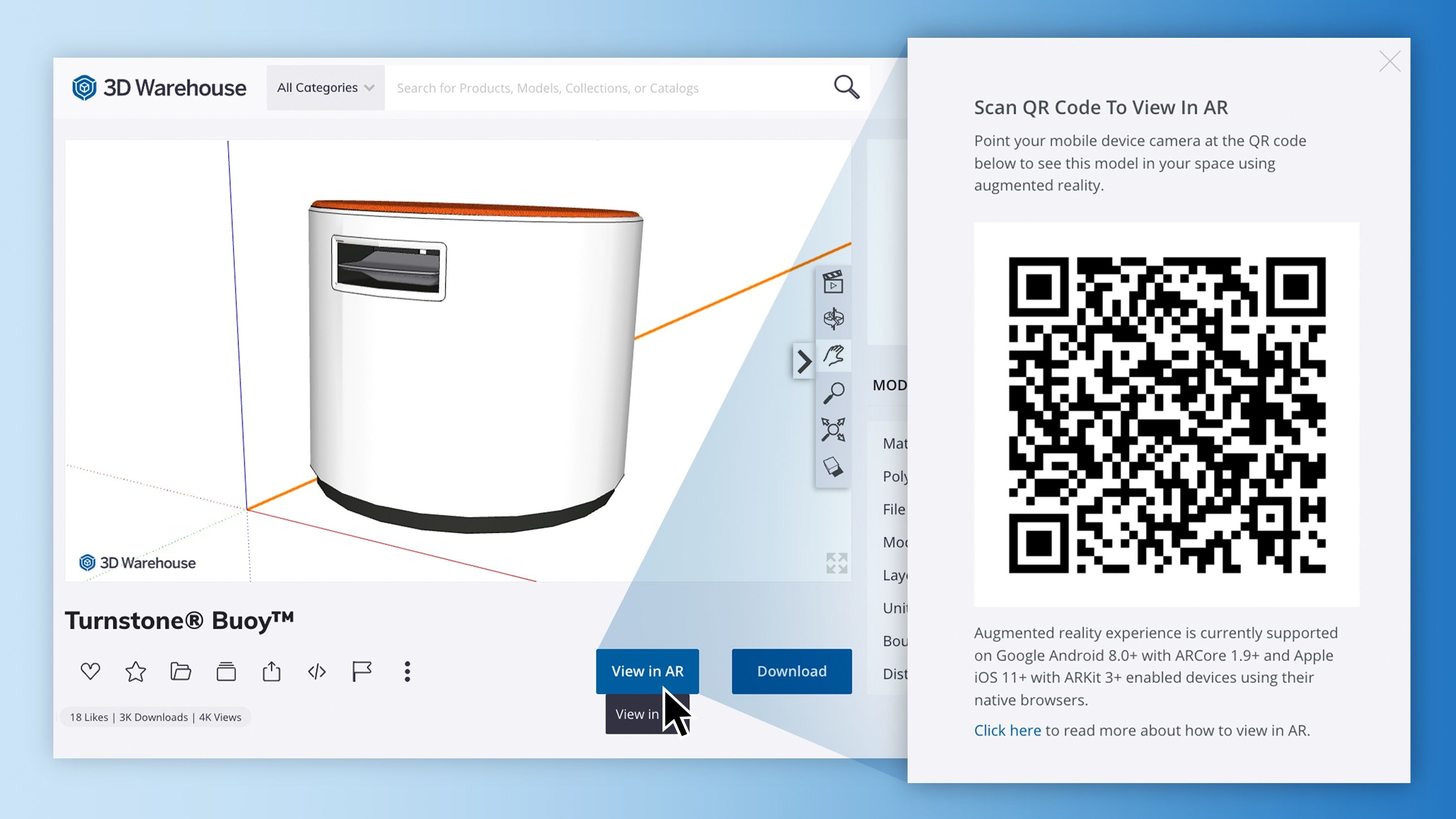
3D Warehouse object next to scannable QR code

If you’re ready to add a new dimension to your designs, go ahead and pop on over to 3D Warehouse and try out AR viewing for yourself. Got a technical question? Our forum has all the answers including troubleshooting tips. And, don’t forget to let us know how this new feature helps with your collaboration workflows in the comments. 

Ready to use SketchUp? Become a SketchUp subscriber, or try it out using a free trial.

Related articles

Article

Visualize and build automated warehouse systems with SketchUp

Senior Applications Engineer at TGW, an international provider of warehouse automation solutions, sh...
Read full article
Article

Orchestrating a global design sprint for the JAL Lounge at Liverpool's Anfield football stadium

Long-distance collaboration and a short deadline complicated completion of a new hospitality lounge ...
Read full article
Article

SketchUp 2025 delivers next-gen visualization, interoperability and content

Explore the latest updates with SketchUp 2025. Unlock powerful new visualization and interoperabilit...
Read full article
Attention

We tried to combine the products in your guest cart with your saved cart, but we encountered an issue while merging them. When choosing a subscription, please select either monthly or yearly as they cannot be combined. Kindly review your cart before proceeding to checkout.

Cart updated
Some items in your cart are not available for purchase in your region, so we removed them. Please review your cart before proceeding.

Items Removed:
Attention

The software you are trying to purchase is not available in your country or region.

Cart updated
The items in your cart have been updated for two reasons. Firstly, the prices now match the currency linked to your account address. Secondly, some items have been removed because they are not available for purchase in your region. Please review your cart before proceeding.

Items Removed:
Cart updated
The items in your cart have been updated for two reasons. Firstly, you've added too many of one item to your cart. Secondly, some items have been removed because they are not available for purchase in your region. Please review your cart before proceeding.

Items Removed:
Cart updated
The items in your cart have been updated for three reasons. Firstly, the prices now match the currency linked to your account address. Secondly, you've added too many of one item to your cart. Thirdly, some items have been removed because they are not available for purchase in your region. Please review your cart before proceeding

Items Removed:
Cart updated

Your currency has been changed to match the currency associated with your account address.

Cart updated

Your cart has been updated for two reasons. First, the prices now reflect the currency associated with your account address. Second, you've added too many of one item to your cart. Please review your cart before proceeding.

Cart updated

While combining the products in your guest cart with your saved cart, at least one item in your cart has exceeded the maximum allowable quantity. Please review and correct your cart before proceeding to checkout.

Attention

We were unable to access your account information. Please contact customer support for assistance.

Attention
Unable to update shopping cart information. Please refresh the page to resolve the issue. If this issue persists, please contact Trimble support.
© 2026 Trimble Inc.

Trimble is a global technology company that connects the physical and digital worlds, transforming the ways work gets done. With relentless innovation in precise positioning, modeling and data analytics, Trimble enables essential industries including construction, geospatial and transportation. Whether it's helping customers build and maintain infrastructure, design and construct buildings, optimize global supply chains or map the world, Trimble is at the forefront, driving productivity and progress.