SketchUp unveils native interoperability and removes barriers to creative exploration in 2023 with the Revit Importer for Studio and elevated modeling tools in SketchUp for Desktop.

Welcome to the next generation of creative exploration; updates for 2023 deliver the fastest, easiest, most native interoperable modeling experience yet. We're connecting two core tools in the industry: SketchUp & Revit! The Revit Importer elevates the Studio subscription, while tangible improvements to core tools boost workflows in our desktop application. Indulge in SketchUp 2023's powerful toolset for your next built masterpiece. Plus, we have two new scale figures to celebrate the new design year – Heather and her fierce but sweet cat, Lily.
Studio advances interoperability
For a full download of how to use the Revit Importer, watch this Skill Builder.
Shave hours off your Revit-to-SketchUp workflow
The new import feature within a Studio subscription allows you to accurately and efficiently convert your Revit models into SketchUp geometry for deeper collaboration across project phases, teams, and stakeholders. Various workarounds exist to export Revit models to SketchUp, but this new importer saves the most time, is more accurate in geometry conversion, and leads to much lighter models.
By preserving model structures between Revit and SketchUp – Revit families and layers neatly translate to groups, components, and tags in SketchUp – you can save hours or even days of model cleanup and progress your project with accuracy. A smoother transition between design phases allows you to focus on what’s essential: fine-tuning your vision.
“The Revit Importer sped up my importing and cleans up workflows from a couple of days to a few hours, even with complex models.”
-Carl Goodiel, VDC Manager
Why use it?
Improve collaboration with project stakeholders who create Revit deliverables.
Preserve model structures between software for less cleanup.
Move Revit models into SketchUp to iterate new ideas quickly.
Build efficiencies; the imported Revit file is automatically optimized for easier geometry manipulation in SketchUp and significantly reduces file size.
Create compelling visuals; Revit material colors and transparencies are respected during import to speed up visualization workflows.
Translate Revit levels to SketchUp section planes.
“We love the Revit Importer. It has saved us lots of time, and to my amazement, the converted file sizes are much smaller than other methods. This importer has become essential to our workflows. “
-Shyam Singh, GLMV Architecture
We’ve made the Revit Importer a native functionality in SketchUp’s desktop application. Customers with Studio subscriptions can access this feature as soon as they update to the 2023 version. Customers with Pro subscriptions can install the Revit Importer in SketchUp 2023 and then initiate a trial to evaluate this new workflow. No Revit license is required.
Discoverable and connected workflows
Using Studio’s new common installer, you can discover, download, and install all the tools you need for advanced workflows and complex projects. The subscription also includes V-Ray 6 for creating cutting-edge visuals and Scan Essentials for importing point cloud data – both were enriched with new functionality in late 2022. Please note that Studio is a Windows-only subscription. Scan Essentials is English-only, and V-Ray offers English and Chinese versions.
Breakthroughs for desktop
Build your anything – faster – with new modeling and documentation features and improvements in SketchUp for Desktop. Explore a brand new Flip tool that replicates design elements predictably, manage DWG files in LayOut, and more.
Flip with confidence
Take the guesswork out of Flip transformations — the brand-new Flip tool lets you pre-visualize the outcome to model more predictably. Previsualize the plane you want to flip your selection along, then hover over the red, green, or blue planes to confirm the proper orientation. Click to flip! Fewer clicks and undoes means you can focus more of your valuable energy on developing a symmetrical relationship, evaluating it, and modifying it. Flip your model, and it just might flip your creative perspective too.
Pro Tip: Want to set up a quick, mirror relationship in a model to build more efficient components or make symmetrically-oriented copies? Toggle the Flip tool to activate Copy Mode, and you’ll flip a copy that is symmetrical to your selection. Use the tool to express a holistic vision based on a single, repetitive component.
Reign over referencing in LayOut
In LayOut, we are fortifying interoperability by adding the ability to manage imported DWG files as references. Sound familiar? It’s the same process for managing referenced files in LayOut, but now we’ve expanded it to apply to all images, text files, or AutoCAD drawings. View all external file references, receive notifications if a file reference is outdated, and update, relink, or remove a file reference using the File Reference Manager. Better still, all your custom style edits (line weights, scale, and viewport positions) stay intact even when reference files are updated. Document and present your work confidently, knowing that all your references are up-to-date without wasting previous layout and styling work.
A true renaissance woman
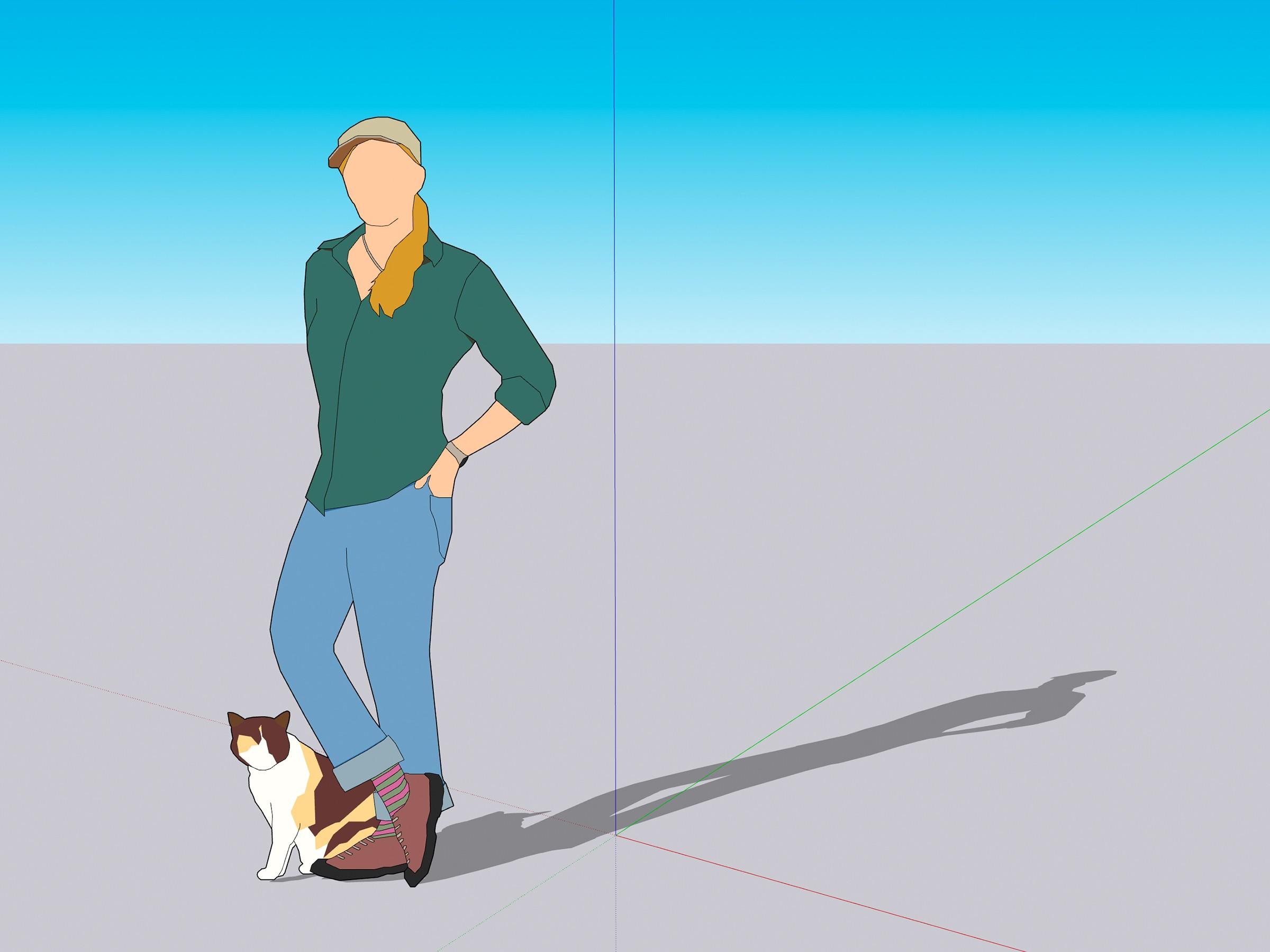
From cheese making to ice climbing to feral cat rescue, there’s not a lot Heather can’t handle. If that’s not enough, she’s also a Senior Software Engineer here at SketchUp, and she’s had a significant hand in the updates for 2023. Learn more about Heather and her cat, Lily, our 2023 scale figure duo.
An enhanced, high-value offering
From the Studio overhaul to cross-subscription modeling improvements, we’ve removed workflow barriers to unleash your creativity in 2023. Dive into the full release notes for all you need to know to create and model in 3D seamlessly.
If you already have a Pro or Studio subscription, you can access SketchUp 2023’s time-saving improvements by downloading it here or via your Trimble Account. If you’re still on the fence, you can try a Studio subscription for free. If you’ve made up your mind, you can purchase Studio or upgrade to Studio from your current subscription plan.


