Connecting data and creating visualizations are key to successful architecture, engineering, and construction (AEC) projects. With SketchUp, you can connect this information within 3D models and provide the proper analysis at each stage while keeping stakeholders aligned and the project moving forward.
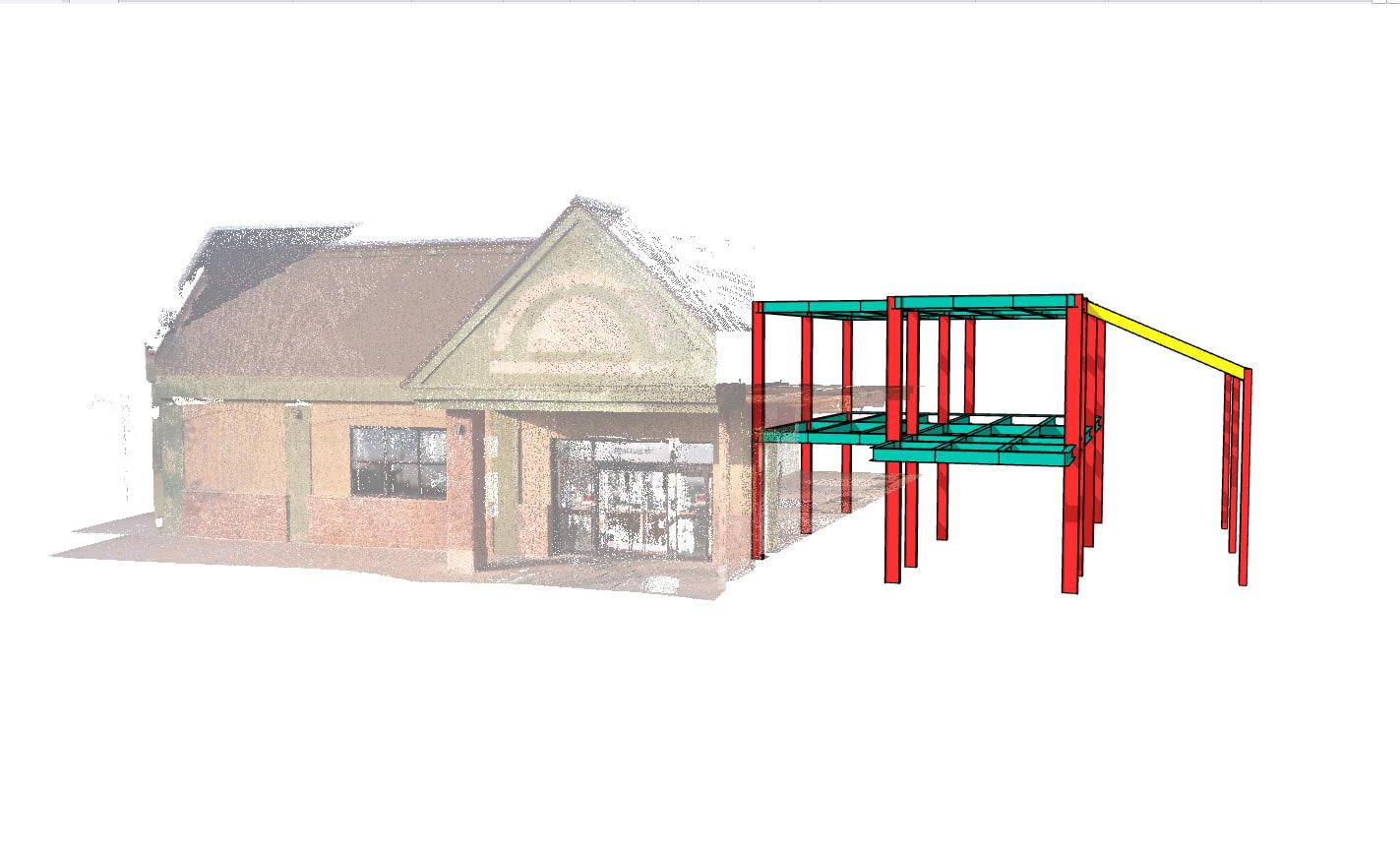
An IFC imported into SketchUp with a point cloud scan.
Why interoperability?
Interoperability connects systems and applications to save you from rework. Each time you are required to duplicate work in different pieces of software, it invites human error, not to mention wasted time. Importing files into SketchUp means you don't have to start from scratch to ideate and create compelling visualizations that are easy for stakeholders to interpret and understand.
Here are some key benefits of interoperability:
Less rework, saving you time and limiting errors
Better collaboration
Expedited deliverables
Increased project success
Ability to engage more stakeholders
What's new with interoperability?
In most industries and workflows these days, interoperability is key for efficiency and collaboration. We understand that people have different software preferences, and SketchUp isn't the only tool they use. Regardless of your toolset, the ability to move seamlessly between tools is critical, which is why we constantly look to improve import and export capabilities.
Here are some recent updates you may have missed:
A rebuilt graphics engine means large models that may have caused SketchUp to lag in the past will now work seamlessly.
Improved IFC import and export support boosts SketchUp's effectiveness in advanced BIM workflows. Enhanced IFC attribute mapping helps preserve data fidelity to maintain data-rich models.
IFC file imports now result in optimized, lighter-weight SketchUp models that lead to faster file performance and more predictable modeling.
SketchUp data is now more precisely mapped to IFC class attributes which are preserved when exporting IFC files, enabling data consistency.
Geometry tessellation controls allow you to create optimized geometry and lightweight IFC files.

IFC improvements in SketchUp.
SketchUp now supports import and export for two additional file types, USDZ and gITF. These are critical file types for emerging AR/VR visualization workflows and interactive digital experiences. From immersive walkthroughs to product design, you can take SketchUp further with new ways to move between advanced digital creation tools.
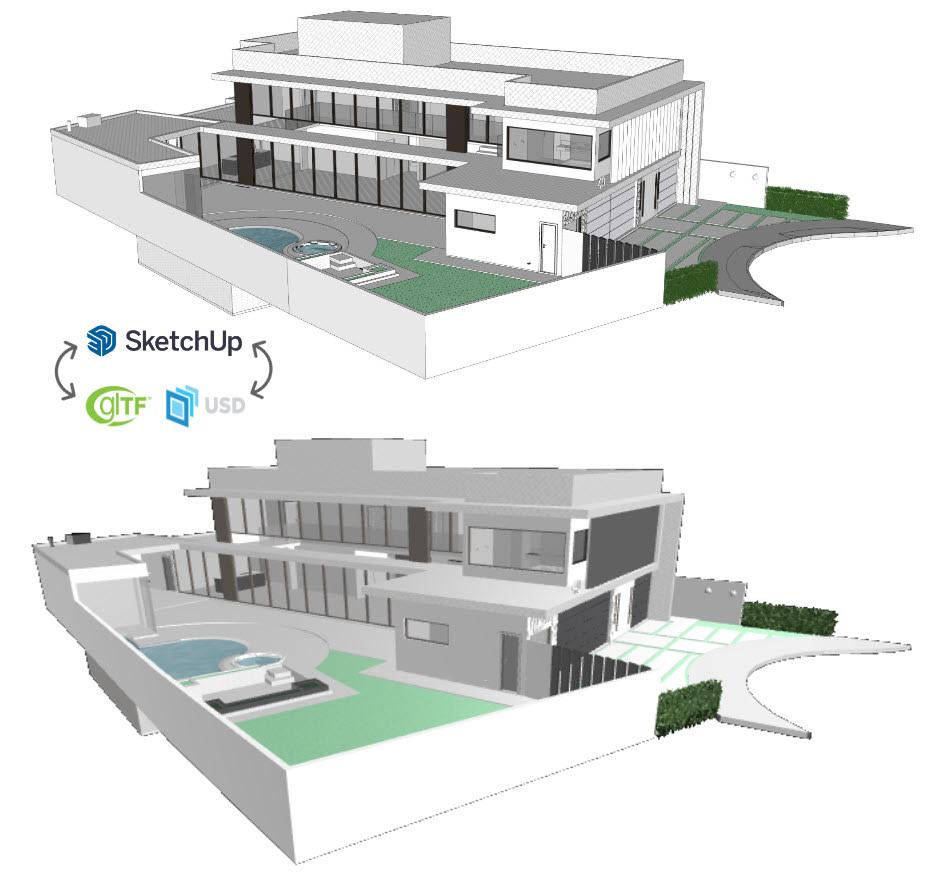
A visual of the two new file types introduced for import and export from SketchUp.
While the Revit Importer isn't new, it definitely deserves a shout-out as it’s the most robust path from Revit to SketchUp! It lets anyone with a Studio subscription import and view Revit models to iterate and share from SketchUp quickly.
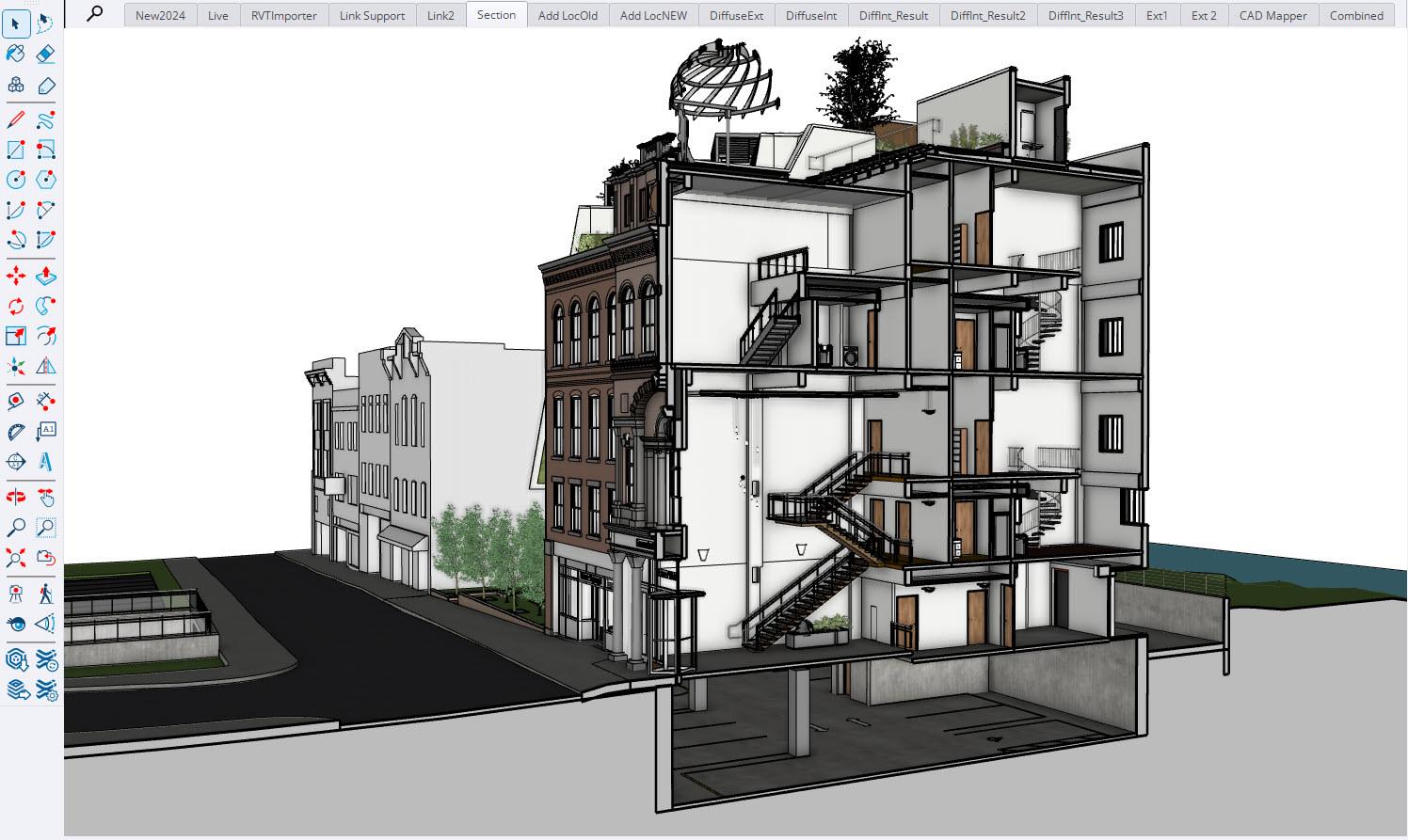
A linked RVT file in SketchUp.
Scan Essentials is another feature that has been out for a while but deserves a mention. Point clouds are becoming increasingly common in construction and design. Whether from an aerial drone, terrestrial scanner, or even a mobile phone, Scan Essentials lets you bring high-fidelity 3D point cloud data into SketchUp to visualize and use as context in your design work.
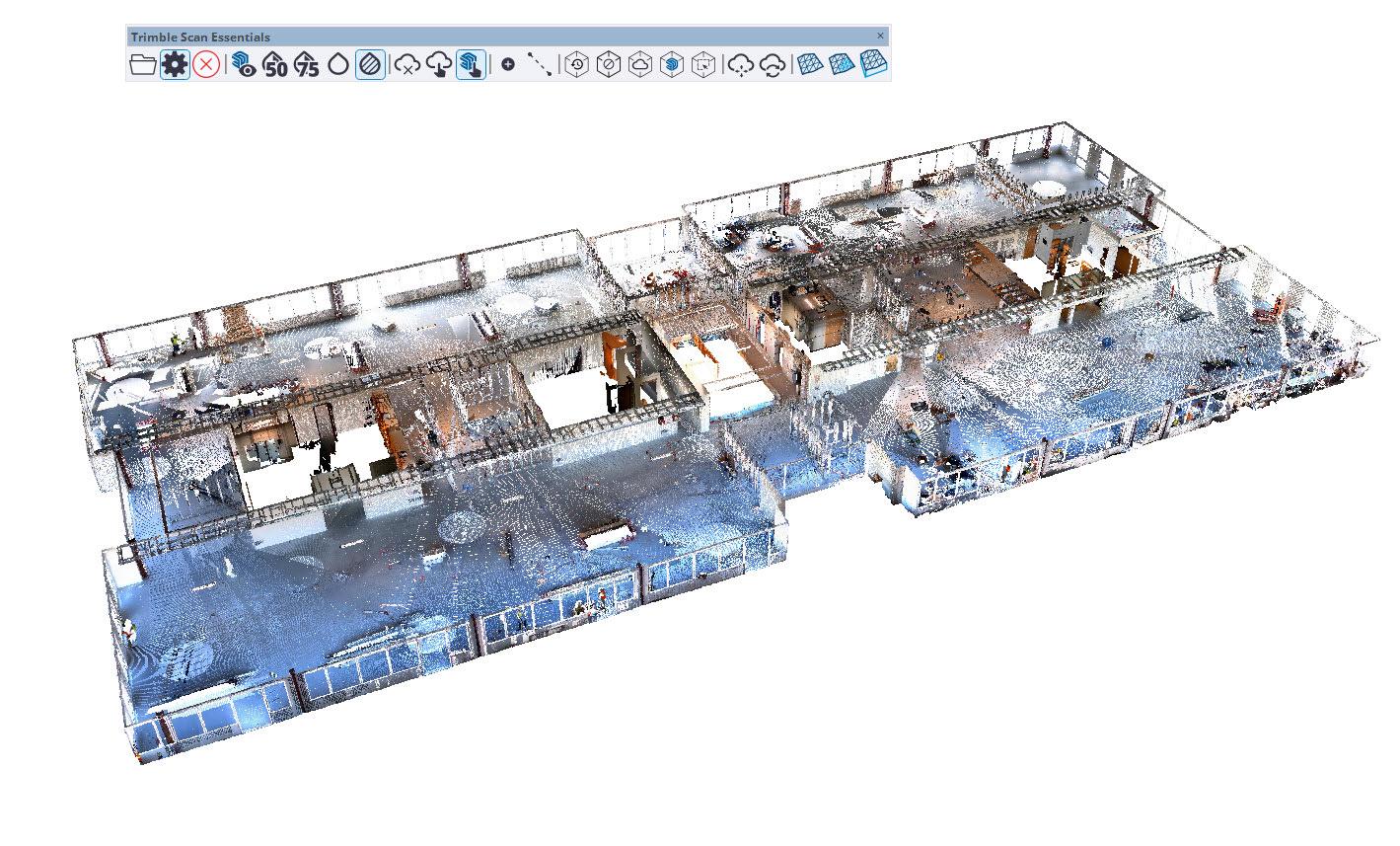
3D scan in SketchUp.
With Ground Mesh in Scan Essentials, you can quickly and efficiently turn a terrain point cloud into an accurate, quad-face-based mesh. The Ground Mesh tool automatically extracts terrain information and lets you choose the resolution of your mesh, even adding or subtracting detail after the mesh has been created.
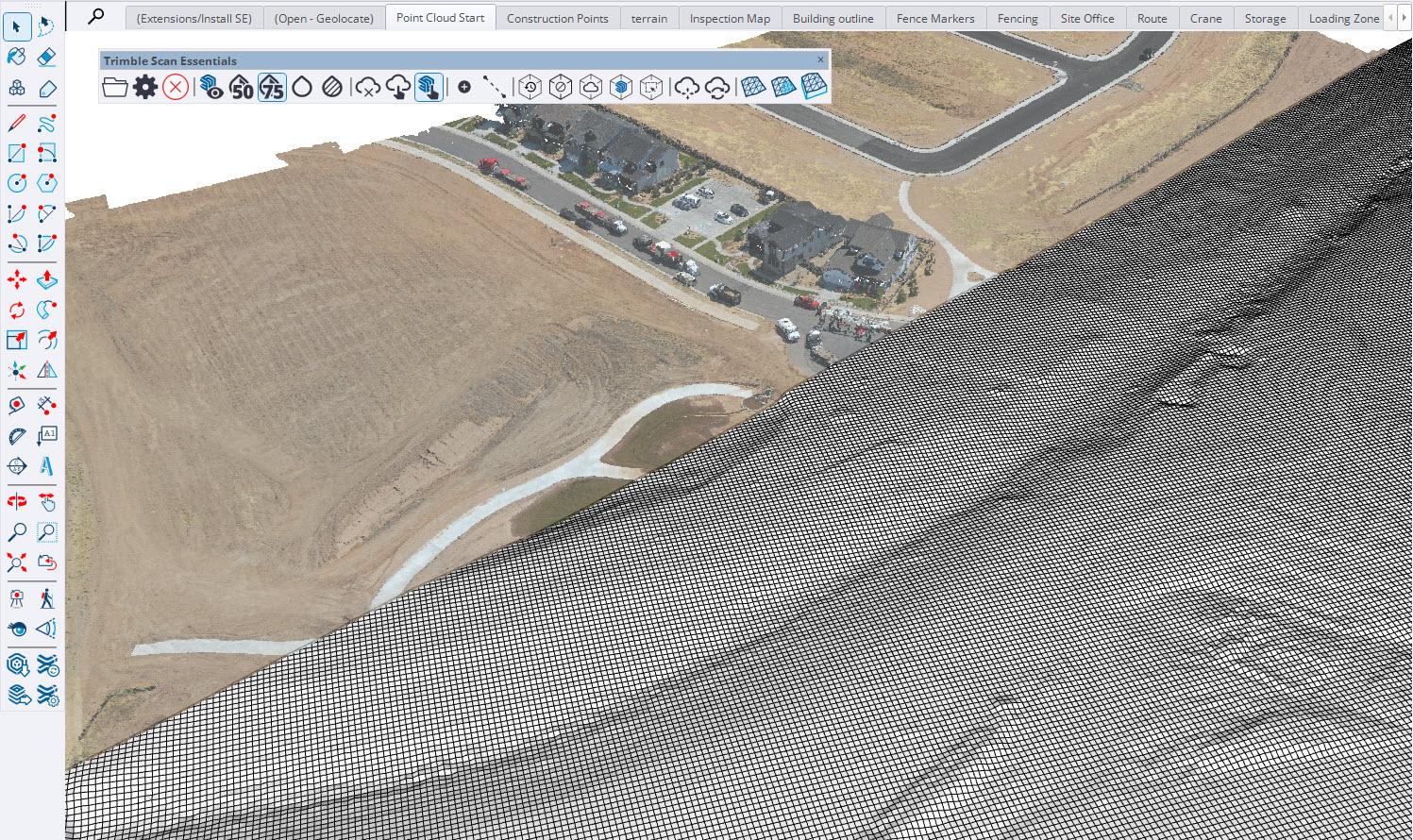
Ground Mesh feature in SketchUp.
Link Sharing lets you share view-only models with colleagues and clients on any web browser. This allows you to increase project transparency and communicate easily without the recipient needing to install software. Plus, native toolbar icons allow you to access the Share dialog and see your file status easily.

What the recipient would see when opening a link in the browser.
Extensions
Extensions are a powerful part of the SketchUp ecosystem and are integral to advanced workflows. These plugins contain specialized tools that extend what’s possible in SketchUp. Some that are particularly helpful are for importing CAD drawings, especially if you don't have access to CAD yourself. You can import CAD drawings and clean up that information within SketchUp before you bring them into 3D. Explore some free, hand-selected extensions below:
CleanUp3: cleans up and optimizes imported linework and geometry.
Flatten to Plane: flatten selected imported CAD linework to a horizontal plane.
Edge Tools: a suite of tools for working with edges
Simplify Contours: reduces the number of edge segments that make up the contour lines, reducing the overall file size and making it easier to work with the contours in SketchUp.
Contour Maker: calculates a series of horizontal slices through a selection's faces to make the Contours as specified.
Universal Importer: free universal importer for a variety of file types.
Selection Toys: provides a wide range of selection modifiers and filters to get to the needed selection set faster.
Pro subscription: A winning ecosystem
Coordinating design efforts has never been easier with SketchUp. Pro hosts a vast ecosystem of complementary tools that seamlessly communicate with each other, resulting in advanced interoperability and streamlined collaboration.
Ready to explore Pro? Learn more here. Just getting started? Sign up for a free trial today.
Eager to learn more about interoperability? Take a look at our 3D Basecamp user conference this November! The classroom session, ‘Through the Looking Glass: What Does Interoperability Mean and What Would It Look Like for SketchUp?' will help you better understand the concept of interoperability, learn different workflows and best practices, and gain insights into the future roadmap for interoperability.
Watch the Interoperability with SketchUp webinar.
Check out our Learning Resources:
SketchUp CampusSketchUp Youtube ChannelSketchUp Forum
Help Articles for Interoperability:
Interoperability OverviewRevitThree tips for an efficient SketchUp and Revit workflowAutoCADConnecting Workflows


